# Aggregate
The **Aggregate** component allows you to collect or group multiple items from a list into a single aggregated output. It is useful when you want to combine, summarize, or bundle list items based on a defined condition or range.
### **When to Use the Aggregate Component?**
Use the Aggregate component when you need to:
* Combine multiple list items into a single aggregated result
* Pick a certain number of items from a list in sequence
* Control how many items to aggregate and from where to start
## **How to Configure the Aggregate Component?**
### **Use Case Example**
You want to send a daily summary of the **5 most recent Zendesk support tickets** to a Slack channel. To do this, you will first fetch all tickets from Zendesk, then use the Aggregate component to keep only the last 5.
### **Step 1: Add the Aggregate Component**
* Insert the **Aggregate** component after the step that returns a list of items.
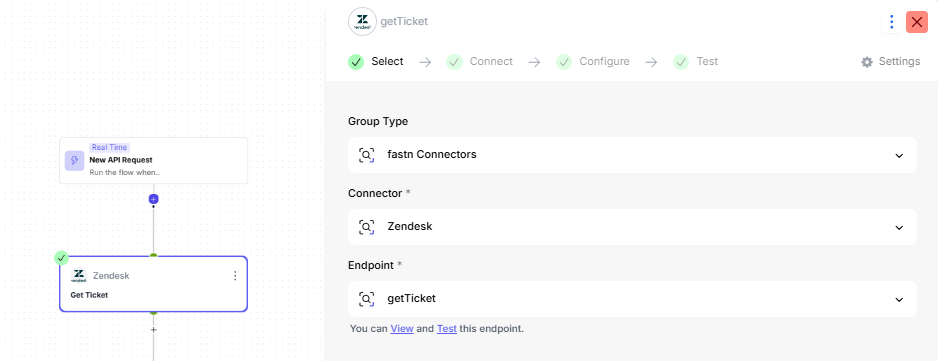
* In this example, add Aggregate **after the "Get Tickets" step from Zendesk**.
> **Example:**\
> Step before Aggregate: **Zendesk – Get Tickets** (returns a list of ticket objects)
### **Step 2: Select the Input List**
Inside the Aggregate component, you will configure the following:
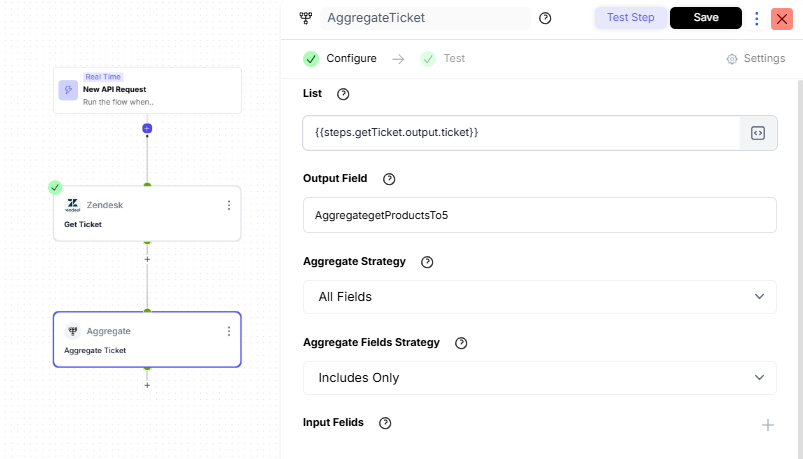
#### **1. List**
Select the list that needs to be aggregated.
> **Example Value:**\
> `{{steps.getTicket.output.ticket}}`
#### **2. Output Field**
Enter a name for the aggregated result.
> **Example Value:**\
> `AggregateLast5Tickets`
#### **3. Aggregate Strategy**
Choose whether to aggregate **all fields** or **specific fields only** from the list.
* **All Fields** → aggregates all fields from items
* **Individual Fields** → lets you pick only selected fields
> **Example Choice:**\
> **All Fields** (since we want full ticket details)
#### **4. Aggregate Fields Strategy**
Choose how to handle fields selected for aggregation:
* **Includes Only** → include only the fields you select
* **Excludes Only** → exclude fields you don't need
{% hint style="info" %}
**Includes Only**\
(Use this if you only want certain values, like `ticket_id`, `subject`, `status`)
{% endhint %}
#### **5. (Optional) Input Fields**
If you select **Individual Fields**, you can manually specify which fields to include/exclude.
> Example fields you might include for Zendesk tickets:\
> `ticket_id`, `subject`, `priority`, `created_at`
### Final Outcome
* The Aggregate component returns a smaller refined list, e.g., the **5 most recent tickets**.
> You can now use this aggregated output in the next steps, like formatting, generating a summary, or posting to Slack.