# Logger
Use the **Logger** component to record messages, variable values, or object data at any point in your flow.
> It helps you monitor progress, validate logic, and troubleshoot issues by providing real-time insights into flow execution.
### **How does it help?**
* Monitor flow execution and debug easily
* Log key events, data points, or outcomes
* Improve visibility and traceability during automation runs
### **Where to view logs?**
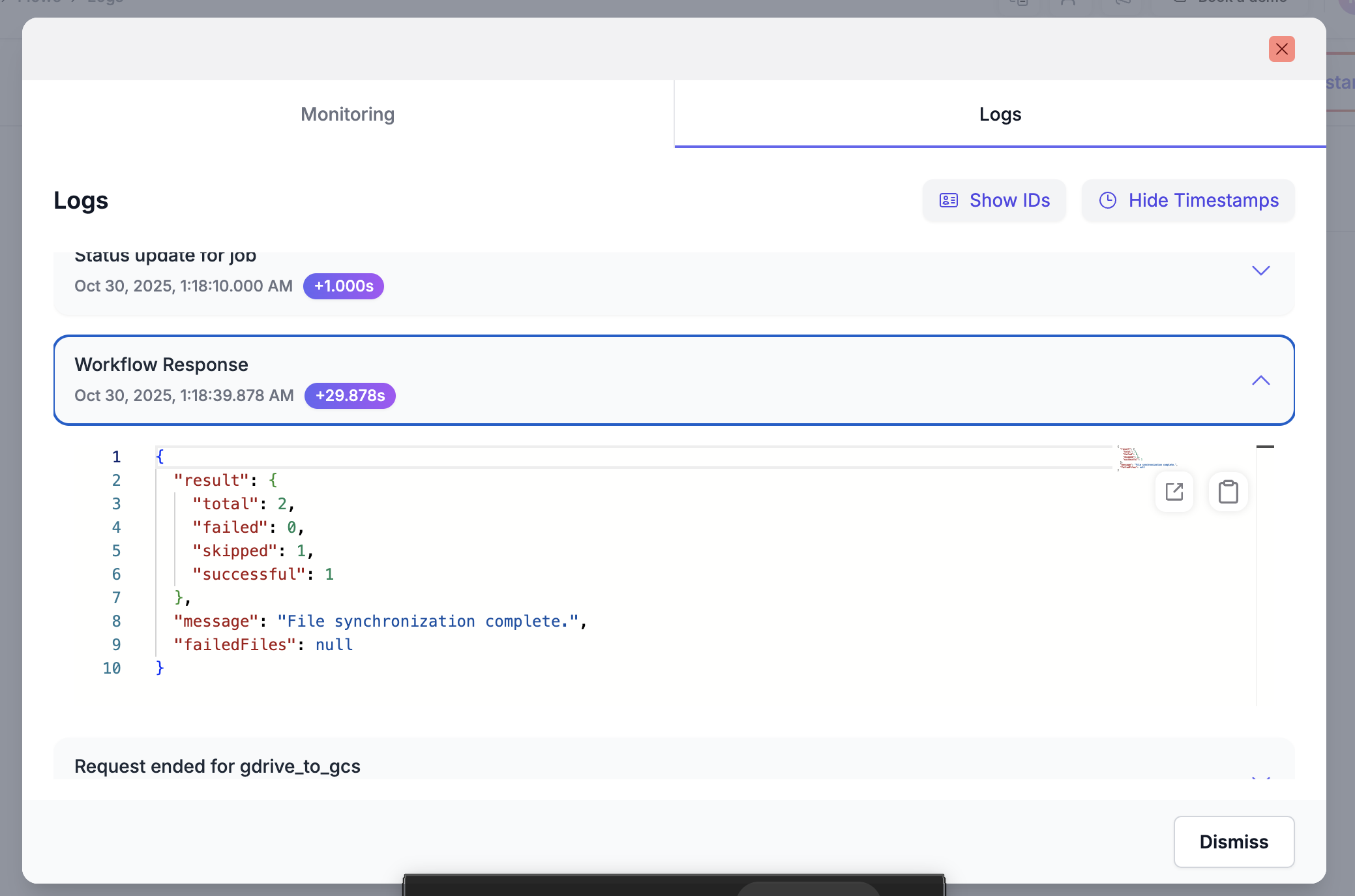
All your flow logs are available in the **Logs** section, accessible from the left navigation panel inside your Fastn workspace.
This section displays a list of all your flows including the request and response logs (including start and end points).
* Any **custom Logger entries** you’ve added as part of your flow steps would be reflected here as well.
### **Use Case**
Suppose you are processing files inside a **Loop over Templates** step, and each iteration checks a file’s processing status. You may want to log the count of:
* Skipped files
* Successfully processed files
* Failed files
#### Steps
* Add a **Logger** step **after** your loop.
* In the **Message** field, enter a summary string such as:
> When your flow runs, this message will appear as a **separate log entry** in the **Logs section** of Fastn under that specific flow.
This lets you easily track loop outcomes and data processing metrics without searching through the entire flow execution trace:
{% hint style="info" %}
Use multiple Logger steps in key parts of your flow (e.g., before loops, after variable changes, or after conditional branches) to get detailed, structured insights during execution.
{% endhint %}