> For the complete documentation index, see [llms.txt](https://docs.fastn.ai/llms.txt). Markdown versions of documentation pages are available by appending `.md` to page URLs; this page is available as [Markdown](https://docs.fastn.ai/operate/customers.md).
# Customers
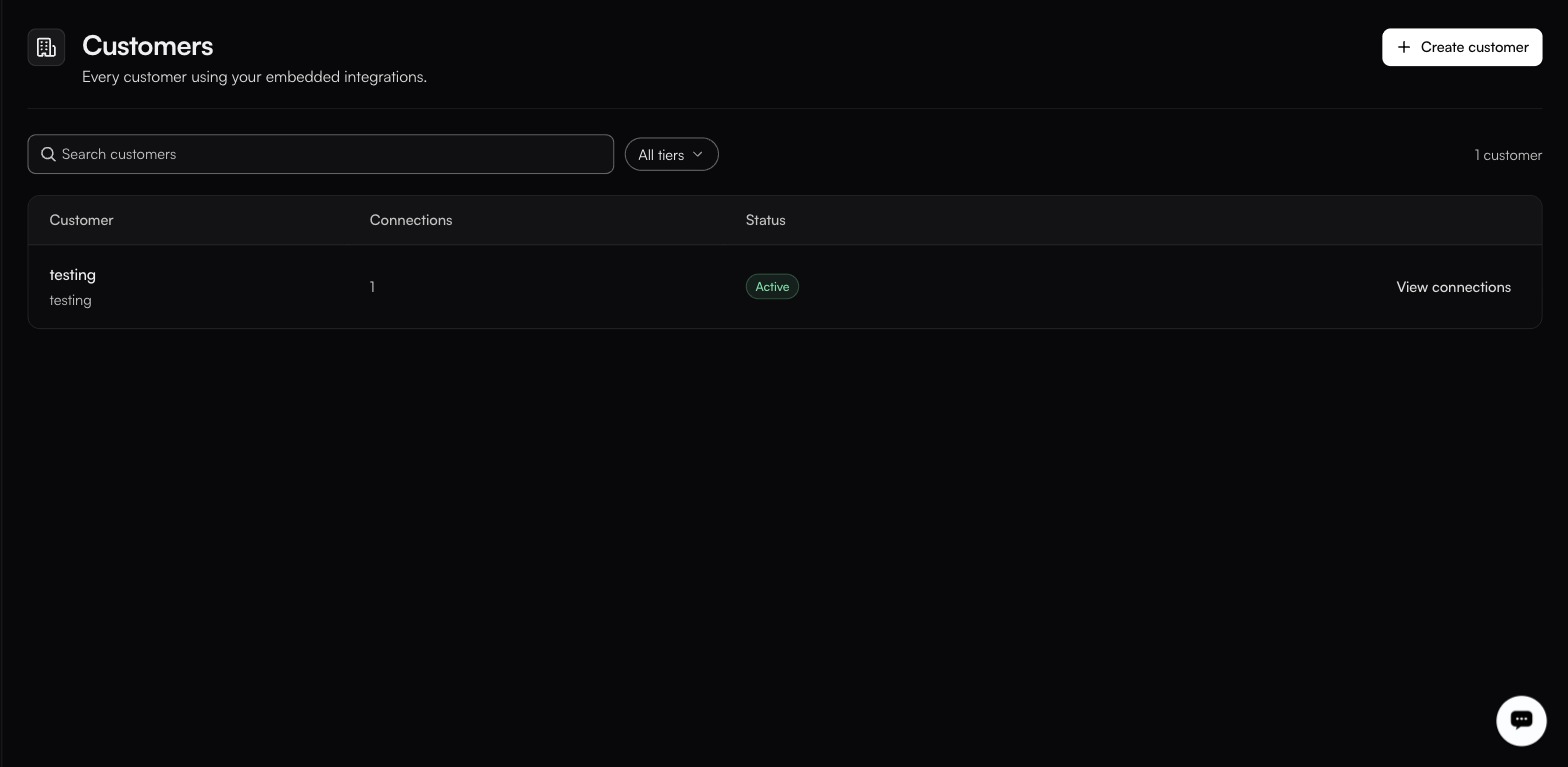
Every customer using your embedded integrations.
**Customers** · `/settings/customers`
A top-level item in the sidebar's OPERATE group, beside Activity rather than inside it. Note the mismatch between where it sits and where it lives: the sidebar puts it under OPERATE, but its route is under `/settings/`. Linking to `/customers` gets you a **Page not found**.
The second line under each name is the identifier you will see again as endOrgId.
A customer is one of your customers: a container for their connections, credentials and workflow data.
### The table
| Column | Notes |
| --------------- | --------------------------------------------- |
| **Customer** | Display name, with the identifier underneath. |
| **Connections** | How many systems they have authorised. |
| **Status** | Active, or Pending admin activation. |
A count sits above the table, and **Search customers** narrows it. **View connections** on each row filters [Connections](/build/connections.md) to that customer.
### Status
**Active**: set up and usable.
**Pending admin activation**: created, but an administrator has not activated it. Its integrations will not run until they do.
### Creating a customer
**Create customer** adds one manually, which is what you want when onboarding an account before they first sign in.
The identifier is the stable one: use your own account ID rather than a display name. It is what you will see again as `endOrgId` in the [embed token](/embed/embedding.md) response, and as the final `tenant` segment of a connection ID.
### Customers and tenants
The product uses both words. **Tenant** is the column header on all three Triggers tables, and it is the last segment of the connection ID format:
```
ucl:org_::::
```
Treat them as the same thing: one isolated customer container, called a tenant wherever the plumbing shows through.
### Where customers show up elsewhere
| Surface | What it does |
| ------------------------------------ | ----------------------------------------------------------- |
| ⌘K search, **CUSTOMERS** group | Jump straight to one. |
| [Connections](/build/connections.md) | A **Customer** column on every connection. |
| Widget builder preview | The tenant selector renders the widget as a customer. |
| [Embed tab](/embed/embedding.md) | The **USER** selector scopes the generated snippet. |
| Triggers tables | A **Tenant** column on webhooks, schedulers and app events. |
---
# Agent Instructions
This documentation is published with GitBook. GitBook is the documentation platform designed so that both humans and AI agents can read, navigate, and reason over technical content effectively. Learn more at gitbook.com.
## Querying This Documentation
If you need additional information that is not directly available in this page, you can query the documentation by asking a question.
Perform an HTTP GET request on the following URL with the `ask` and `goal` query parameters:
```
GET https://docs.fastn.ai/operate/customers.md?ask=&goal=
```
`ask` is the immediate question: it should be specific, self-contained, and written in natural language.
`goal` is what the user is ultimately trying to achieve, the reason they need the answer. Sharing it helps GitBook give you a better, more relevant answer. A goal is most helpful when it describes the outcome the user wants rather than restating the question. For example, with `ask=how do I create an API token`, a goal like `automate deployments from our CI pipeline` lets GitBook tailor the answer to that use case.
The response will contain a direct answer to the question and relevant excerpts and sources from the documentation.
Use this mechanism when the answer is not explicitly present in the current page, you need clarification or additional context, or you want to retrieve related documentation sections.