> For the complete documentation index, see [llms.txt](https://docs.fastn.ai/llms.txt). Markdown versions of documentation pages are available by appending `.md` to page URLs; this page is available as [Markdown](https://docs.fastn.ai/manage/saas-connectors.md).
# SaaS Connectors
Registering your own SaaS API as a connector, and the scopes tenants connect under.
**Settings → SaaS Connectors**
> Register your own SaaS API's connectors and define the connection scopes tenants are provisioned under.
Every other connector in fastn represents someone else's system: Shopify, HubSpot, Jira. This screen is for the opposite case: **your own product's API**, registered so that your tenants' connections can be provisioned against it.
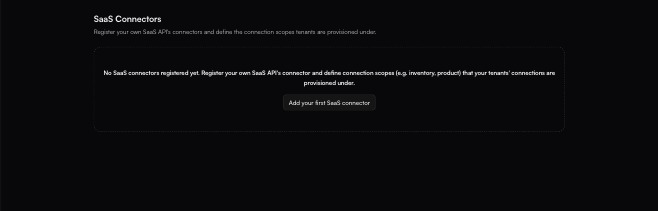
Before anything is registered. The empty state repeats the whole concept, scopes included.
With nothing registered the page reads:
> No SaaS connectors registered yet. Register your own SaaS API's connector and define connection scopes (e.g. inventory, product) that your tenants' connections are provisioned under.
### Registering one
**Add your first SaaS connector** (or **Add**, once the list is populated) opens the **Add SaaS Connector** panel, which takes two things.
| Field | Notes |
| --------------------- | ---------------------------------------------------------------------------------------------------------------------------------------------------------------------------------------------------------------------------------------------------------------------------------------------------------------------- |
| **Connector \*** | A picker over the whole connector catalogue (*Select your SaaS API's connector…*. Its helper text is the important part: *"The connector for your own SaaS API), the one your tenants' connections are provisioned against."* This is not the system you are integrating **with**; it is the one representing **you**. |
| **Connection scopes** | A free-text field with an **Add** button beside it, seeded with the example `inventory`. Add as many as you need. |
The panel closes with **Cancel** and **Add SaaS Connector**.
### What a scope is for
The helper text under the scopes field states the rule directly:
> Each tenant holds at most one connection per scope (e.g. inventory, product). A widget tags its SaaS connector with a scope, and activation pins the tenant's matching connection.
Three consequences worth being deliberate about:
* **One connection per tenant per scope.** A scope is the uniqueness key. A tenant cannot hold two `inventory` connections to your API, so a scope is how you stop a customer from accidentally wiring the same thing twice.
* **Widgets tag against a scope.** The [widget](/embed/widget-builder.md) names the scope it wants, which is what lets one widget resolve to the right connection for whichever tenant is looking at it.
* **Activation pins the match.** When a tenant activates, the connection matching that scope is the one bound, so the scopes you choose here decide how granular per-tenant provisioning can be.
Pick scopes that name a *capability boundary* in your own API (`inventory`, `product`, `billing`), rather than one scope per customer. Customers are already the tenant axis; scopes are the second axis crossing it.
{% hint style="info" %}
This screen sits in Settings alongside [Environments](/manage/environments.md) and [Configs](/manage/configs.md) rather than under Build, because registering your own API is an organisation-level act rather than something you do per integration.
{% endhint %}
{% hint style="warning" %}
How a scope behaves once connections exist against it (whether it can be renamed or removed with live tenant connections attached), is not documented here. Register a scope you intend to keep, and confirm the behaviour in your own workspace before restructuring one that is in use.
{% endhint %}
---
# Agent Instructions
This documentation is published with GitBook. GitBook is the documentation platform designed so that both humans and AI agents can read, navigate, and reason over technical content effectively. Learn more at gitbook.com.
## Querying This Documentation
If you need additional information that is not directly available in this page, you can query the documentation by asking a question.
Perform an HTTP GET request on the following URL with the `ask` and `goal` query parameters:
```
GET https://docs.fastn.ai/manage/saas-connectors.md?ask=&goal=
```
`ask` is the immediate question: it should be specific, self-contained, and written in natural language.
`goal` is what the user is ultimately trying to achieve, the reason they need the answer. Sharing it helps GitBook give you a better, more relevant answer. A goal is most helpful when it describes the outcome the user wants rather than restating the question. For example, with `ask=how do I create an API token`, a goal like `automate deployments from our CI pipeline` lets GitBook tailor the answer to that use case.
The response will contain a direct answer to the question and relevant excerpts and sources from the documentation.
Use this mechanism when the answer is not explicitly present in the current page, you need clarification or additional context, or you want to retrieve related documentation sections.