> For the complete documentation index, see [llms.txt](https://docs.fastn.ai/llms.txt). Markdown versions of documentation pages are available by appending `.md` to page URLs; this page is available as [Markdown](https://docs.fastn.ai/manage/profile.md).
# Your profile
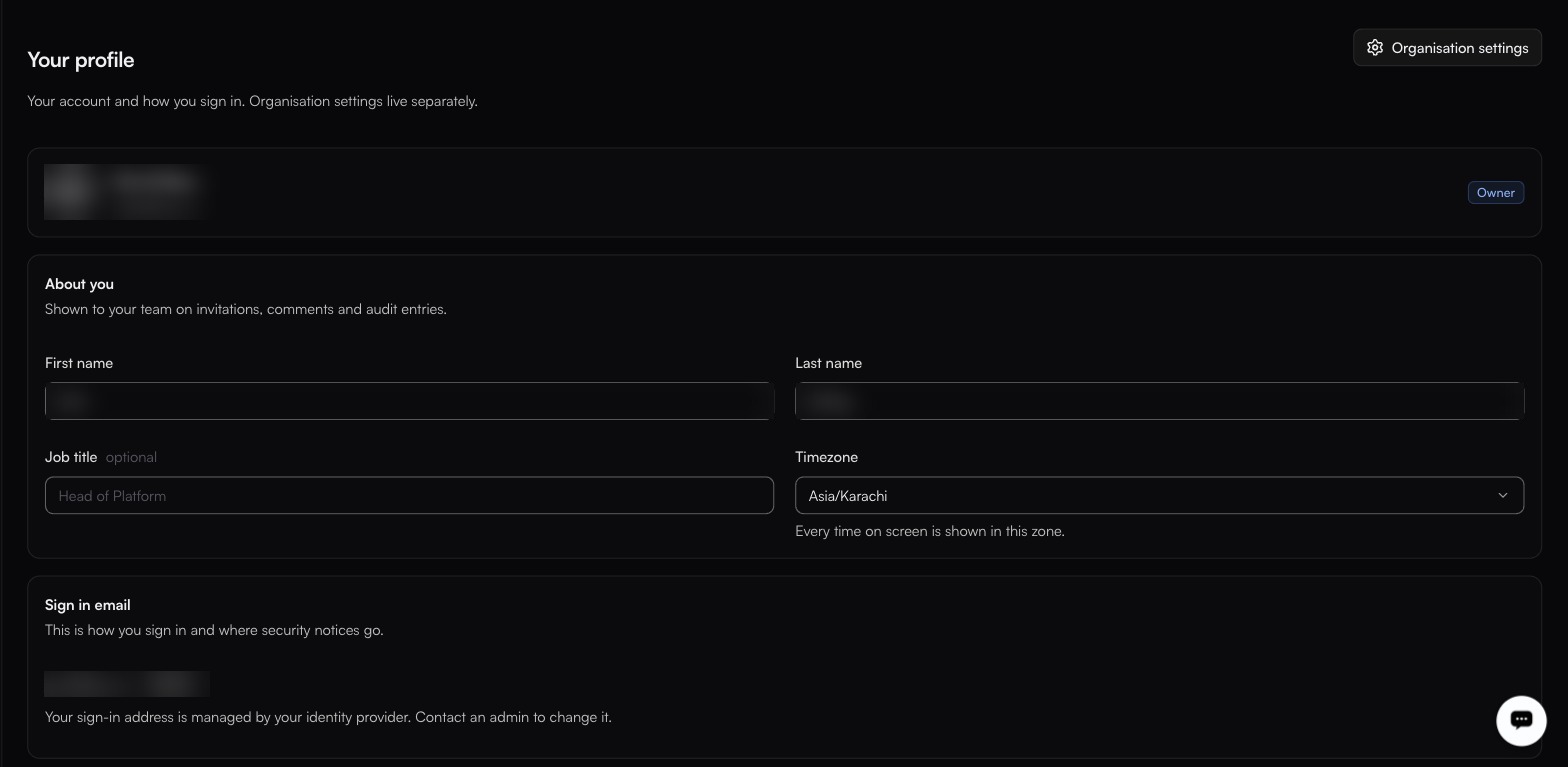
Your account and how you sign in. Organisation settings live separately.
The profile row at the bottom of the left rail, or `/profile`
The sign-in address is read-only here because an identity provider manages it.
This page is about you, not the organisation. The **Organisation settings** link crosses over to [General](/manage/general.md).
### About you
Shown to your team on invitations, comments and audit entries.
| Field | Notes |
| -------------- | --------------------------------------------------------------- |
| **First name** | Required. |
| **Last name** | Required. |
| **Job title** | Optional. |
| **Timezone** | The full IANA list. Every time on screen is shown in this zone. |
{% hint style="info" %}
Your profile timezone changes how timestamps are *displayed* to you. It does not change when a [schedule trigger](/build/triggers.md) fires: a schedule keeps the timezone it was saved with.
{% endhint %}
### Sign in email
Your sign-in address, and where security notices go. It shows a **Verified** badge once confirmed.
Where sign-in is managed by an identity provider, the address is read-only and the page says so: an admin changes it, not you.
### Security
Three rows, each showing its current state: **Not set up** until you configure it, with 2FA also flagged **Recommended**.
| Control | Notes |
| ----------------------------- | ---------------------------------------------------------------------------------------------------------------------------- |
| **Two factor authentication** | **Recommended**, and **Not set up** by default. A code from an authenticator app, in addition to your magic link or passkey. |
| **Passkeys** | **Not set up** by default. Sign in with Face ID, a fingerprint or a hardware key. |
| **Password** | Sign-in is passwordless: magic links and passkeys. There is no password to set or change. |
{% hint style="info" %}
There is no password on a fastn account, so a second factor is not a backstop behind one. It is the second thing in front of an account that otherwise rests on access to an inbox or a device. If your account is an Owner or Admin, it can change anything in the organisation. Set one up.
{% endhint %}
### Where you are signed in
Every active session, with its **IP** address, newest marked **Most recent**.
| Button | Effect |
| -------------- | --------------------------------------------------------------------------------- |
| **Sign out** | Ends that one session. It sits on each row. |
| **Everywhere** | Ends all of them. Use if you have lost a device or think someone else has access. |
Sign out anything you do not recognise, then check the [audit log](/manage/audit-log.md) for `auth.login` entries from the same address.
### Switching organisation
The account card at the bottom of the left rail switches between organisations you belong to. Everything else in the dashboard (connectors, workflows, customers, settings), is scoped to whichever one is selected.
---
# Agent Instructions
This documentation is published with GitBook. GitBook is the documentation platform designed so that both humans and AI agents can read, navigate, and reason over technical content effectively. Learn more at gitbook.com.
## Querying This Documentation
If you need additional information that is not directly available in this page, you can query the documentation by asking a question.
Perform an HTTP GET request on the following URL with the `ask` and `goal` query parameters:
```
GET https://docs.fastn.ai/manage/profile.md?ask=&goal=
```
`ask` is the immediate question: it should be specific, self-contained, and written in natural language.
`goal` is what the user is ultimately trying to achieve, the reason they need the answer. Sharing it helps GitBook give you a better, more relevant answer. A goal is most helpful when it describes the outcome the user wants rather than restating the question. For example, with `ask=how do I create an API token`, a goal like `automate deployments from our CI pipeline` lets GitBook tailor the answer to that use case.
The response will contain a direct answer to the question and relevant excerpts and sources from the documentation.
Use this mechanism when the answer is not explicitly present in the current page, you need clarification or additional context, or you want to retrieve related documentation sections.