> For the complete documentation index, see [llms.txt](https://docs.fastn.ai/llms.txt). Markdown versions of documentation pages are available by appending `.md` to page URLs; this page is available as [Markdown](https://docs.fastn.ai/manage/database.md).
# Database
Which Postgres your workflows read and write through.
**Settings → Database**
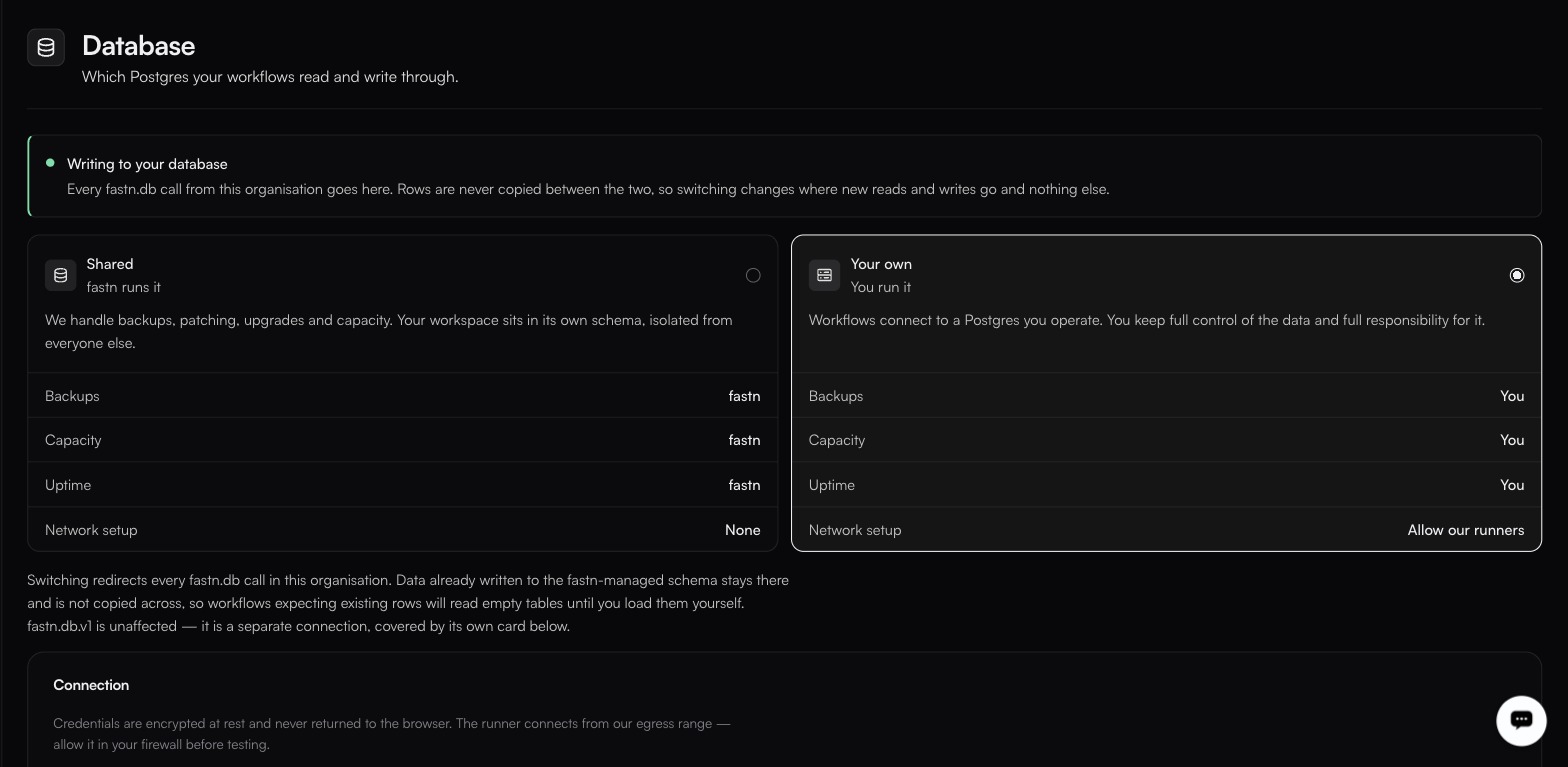
The choice is exclusive and it is a redirect, not a migration, rows already written stay where they are.
Workflows can persist data with `fastn.db`. This page decides where that data lands.
> Which Postgres your workflows read and write through.
Every `fastn.db` call from this organisation goes to whichever option is selected here, and the page shows the active schema name in the form `ws_<32 hex characters>`.
### What a Developer sees
The page is read-only below Owner and Admin. A Developer gets the mode and the identifiers and nothing else:
| Row | Value |
| ------------------ | ----------------------------------------- |
| Mode | **Shared** |
| **DATABASE** | `fastn-managed` |
| **MANAGED SCHEMA** | `ws_`: your workspace's schema name |
Username, password and CA chain are not rendered for this role. That is deliberate, and it is enough: `fastn.db` connects for you, so a workflow never needs the credential. There is no table browser and no SQL console on this page: inspect data from a workflow.
### Two options
| | **Shared** (fastn runs it | **Your own**), you run it |
| ----------------- | ------------------------- | ------------------------- |
| **Backups** | fastn | You |
| **Capacity** | fastn | You |
| **Uptime** | fastn | You |
| **Network setup** | None | Allow our runners |
**Shared**: fastn runs it, and handles backups, patching, upgrades and capacity. Your workspace sits in its own schema, isolated from everyone else.
**Your own**: you run it: workflows connect to a Postgres you operate. You keep full control of the data and full responsibility for it, and you will need to allow fastn's runners through your network.
### Reasons to bring your own
Data residency requirements, a compliance regime that will not accept a processor's database, or an existing warehouse you want workflow data to land in directly.
If none of those apply, Shared is less work and one fewer thing to page you at 3am.
{% hint style="danger" %}
Switching changes where **new** reads and writes go. Rows are never copied between the two. If a workflow depends on data written before the switch, it will not find it. Migrate deliberately, or not at all.
{% endhint %}
### What the isolation actually is
**The unit of isolation is the workspace, not the customer.** Each workspace gets its own Postgres schema (the `ws_` above), isolated from every other workspace, which is what the page means by *your workspace sits in its own schema, isolated from everyone else*.
That is a boundary between you and other fastn customers. It is **not** a boundary between *your* customers: rows written on behalf of one of your customers and rows written on behalf of another land in the same schema. If you need per-customer separation inside it, build it: a customer column on every table, and a predicate on every query.
### Using it from a workflow
```javascript
await fastn.db.query(`
CREATE TABLE IF NOT EXISTS sync_log (
id SERIAL PRIMARY KEY,
customer_id TEXT,
source_id TEXT,
synced_at TIMESTAMP DEFAULT NOW()
)
`);
await fastn.db.query(
`INSERT INTO sync_log (customer_id, source_id) VALUES ($1, $2)`,
[customerId, record.id]
);
```
{% hint style="info" %}
The exact `fastn.db` call signature (whether it is `query(sql, params)` and whether parameters are `$1`-style), is worth confirming against a workflow's own **Docs** tab, which is generated from the runtime you are actually calling. See [Workflow runtime API](/reference/workflow-runtime.md).
{% endhint %}
---
# Agent Instructions
This documentation is published with GitBook. GitBook is the documentation platform designed so that both humans and AI agents can read, navigate, and reason over technical content effectively. Learn more at gitbook.com.
## Querying This Documentation
If you need additional information that is not directly available in this page, you can query the documentation by asking a question.
Perform an HTTP GET request on the following URL with the `ask` and `goal` query parameters:
```
GET https://docs.fastn.ai/manage/database.md?ask=&goal=
```
`ask` is the immediate question: it should be specific, self-contained, and written in natural language.
`goal` is what the user is ultimately trying to achieve, the reason they need the answer. Sharing it helps GitBook give you a better, more relevant answer. A goal is most helpful when it describes the outcome the user wants rather than restating the question. For example, with `ask=how do I create an API token`, a goal like `automate deployments from our CI pipeline` lets GitBook tailor the answer to that use case.
The response will contain a direct answer to the question and relevant excerpts and sources from the documentation.
Use this mechanism when the answer is not explicitly present in the current page, you need clarification or additional context, or you want to retrieve related documentation sections.