# Setting up Field-Level Validation in Configuration Flows
To enforce input validation at the field level within your configuration flows, follow these steps:
## **Steps to Enable Field Validation**
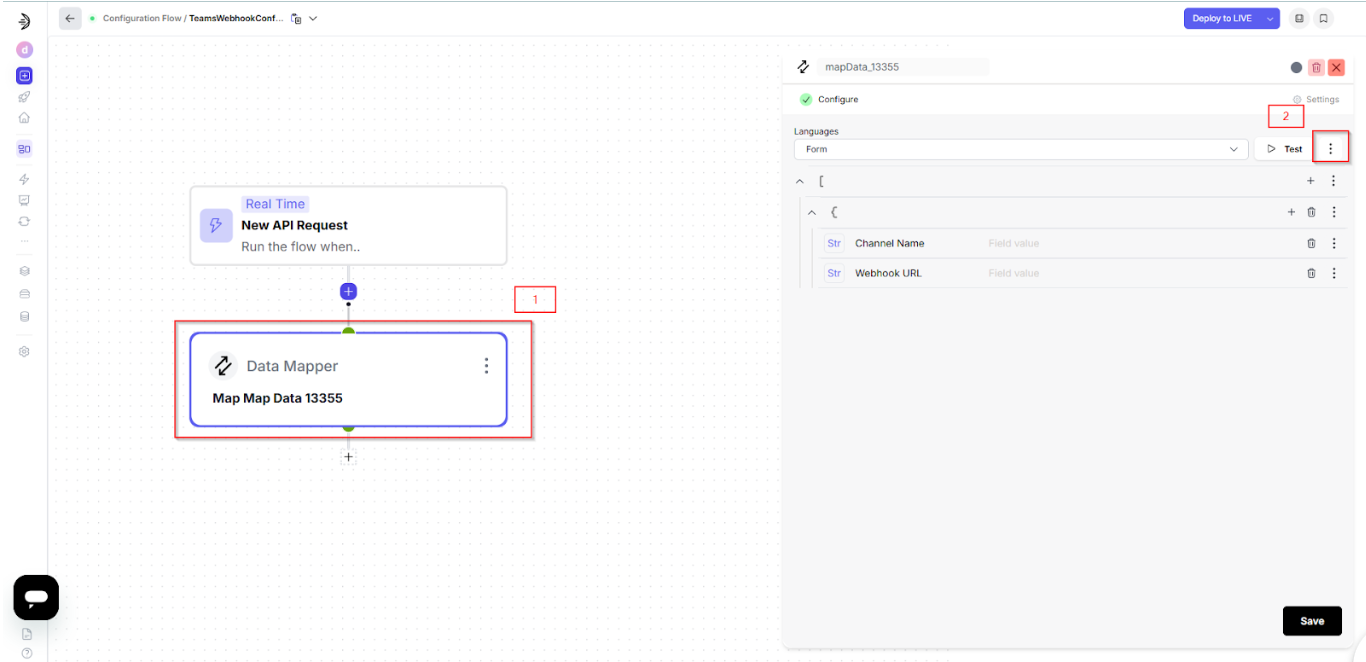
1. **Navigate to Your Configuration Flow**\
Open the specific configuration flow where validation is needed.
2. **Select the Target Step**\
Click on the step you want to apply validation to.
3. **Open Step Settings**\
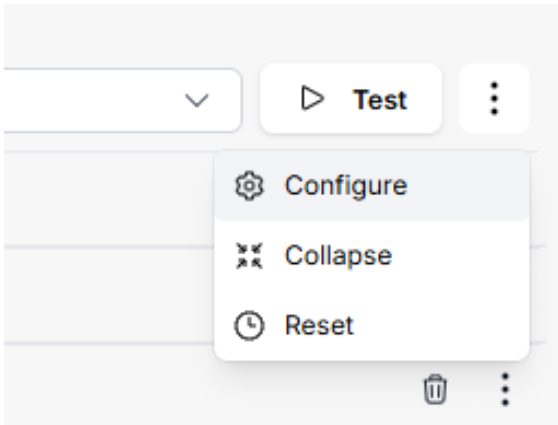
Click on the three-dot menu (`⋮`) associated with the step.
4. Click on **Configure**
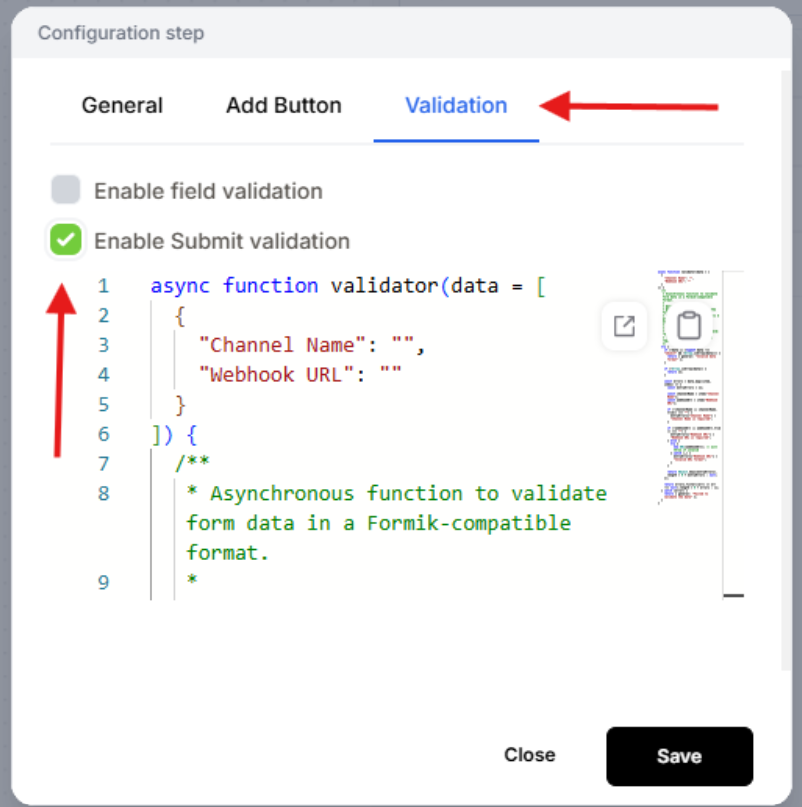
5. **Enable Submit Validation**\
In the configuration pane, select the **Validation** tab and toggle **Enable Submit Validation**.
## **Validation Script: Empty Field and URL Format Check**
Paste the following JavaScript function into the validator field:
```js
jsCopyEditasync function validator(data = [
{
"Channel Name": "",
"Webhook URL": ""
}
]) {
try {
if (!data || (typeof data !== "object" && !Array.isArray(data))) {
return { general: "Invalid data format" };
}
if (!Array.isArray(data)) {
return {};
}
const errors = data.map((item) => {
const entryErrors = {};
const channelName = item["Channel Name"];
const webhookUrl = item["Webhook URL"];
if (!channelName || channelName.trim() === "") {
entryErrors["Channel Name"] = "Channel Name is required";
}
if (!webhookUrl || webhookUrl.trim() === "") {
entryErrors["Webhook URL"] = "Webhook URL is required";
} else {
try {
new URL(webhookUrl); // throws if invalid
} catch (_) {
entryErrors["Webhook URL"] = "Invalid URL format";
}
}
return Object.keys(entryErrors).length > 0 ? entryErrors : null;
});
return errors.filter((err) => err !== null).length > 0 ? errors : [];
} catch (error) {
return { general: "Failed to validate the data" };
}
}
```
## **After You Add the Script**
* Click **Save.**
* **Redeploy** your configuration flow.
## **What This Validator Does?**
* Ensures both **"Channel Name"** and **"Webhook URL"** are not empty.
* Validates that **"Webhook URL"** is in a correct URL format.
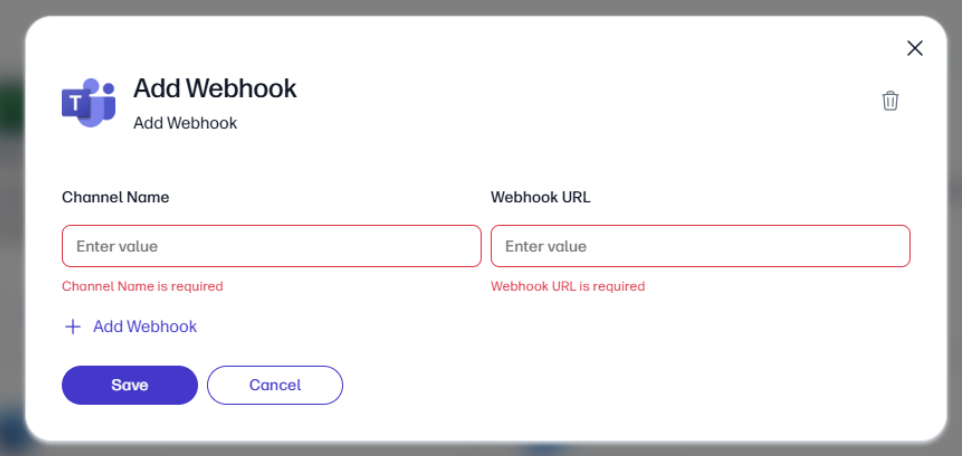
* If either field fails, the form will block submission and show appropriate error messages.