# Setting up a Configuration Flow with Dynamic Selection Options
**Dynamic flows** enable you to populate field options in real-time by connecting to live data sources. Instead of using static values, you can fetch options from APIs or other flows, making your configuration adaptive and data-driven.
## **Configuring a Dynamic Selector**
For instance, if you’re building a configuration for a file picker widget, you might include:
* **Array variable (files)** – this represents the list of files that will appear dynamically through a selection flow.
{% hint style="info" %}
In an **array variable**, multiple options can be selected from the widget.\
If you want to allow **only a single option selection**, use an **object variable** instead.
{% endhint %}
> `files` can be defined as an array to allow multiple file selections, or as an object for single file selection.
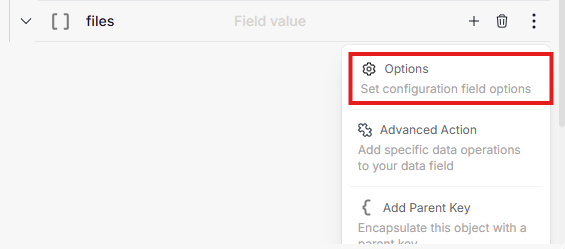
* Open the three-dot menu next to the field and select **Options**.
* Configure the following sections:
#### **Selections Section**
This is where you make the configuration dynamic:
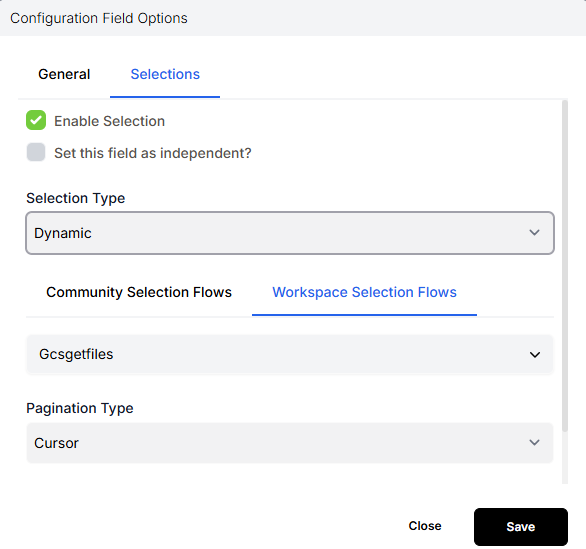
* **Enable Selections** – Turn on dynamic option fetching.
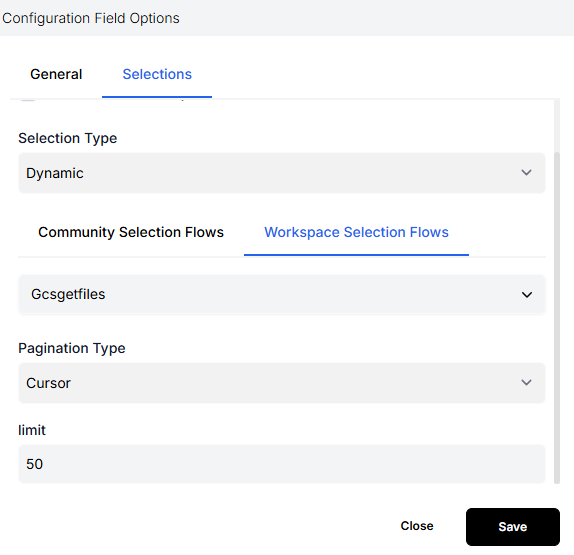
* **Selection Type** – Choose **Dynamic**.
* *Dynamic selections* fetch their options from another flow in real time (for example, a selection flow that retrieves a list of files).
* **Selection Flow** – Choose which **Selection Flow** will power this dynamic data (e.g., a flow named `getFiles`).
{% hint style="info" %}
Once selected, the data returned by that flow (like file names or IDs) will automatically appear in the file picker UI inside your widget.
{% endhint %}
### **Configure Pagination Rules**
For dynamic data sets that return large lists (such as files, customers, or records), define pagination logic within the **Selections** section.
#### **Pagination Settings**
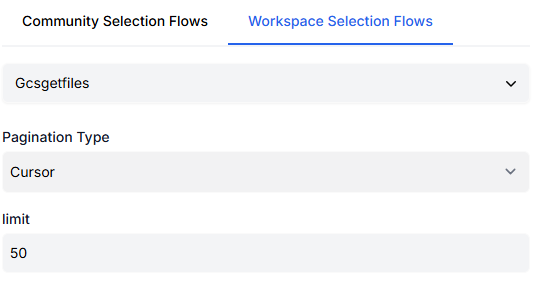
* **Pagination Type:**
* **Cursor** – Uses a pointer to fetch results in chunks.
* **Offset** – Uses index-based offsets to load data progressively.
* **Limit:**\
Defines the number of records to retrieve per chunk.\
For example, setting a limit of `50` means results will be fetched in batches of 50.
The pagination ensures smoother UI performance and prevents timeouts when loading large data sets.
### **Link to a Selection Flow**
After configuring pagination, select the **Selection Flow** that will supply your data dynamically.\
For example:
* **Selection Flow:** A flow that defines the selection of your Google files.
{% hint style="info" %}
When you save this configuration, your widget’s file picker will use the `Gcsgetfiles` flow to fetch available files dynamically.
{% endhint %}
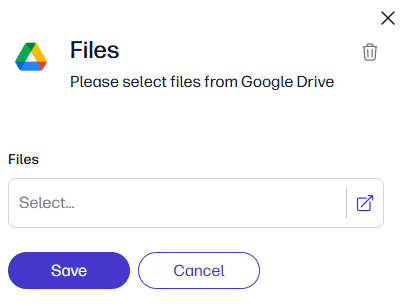
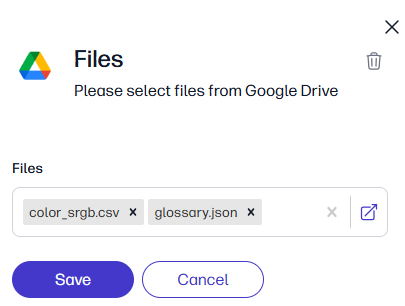
> Users will then see a **file picker UI** that allows them to select files based on live data returned by that selection flow.
### **How It Appears in the Widget?**
Once saved, the configuration flow appears inside your widget as a **file picker** (or equivalent dynamic component).
\
The widget automatically:
* Fetches available options using the connected selection flow.
* Applies pagination rules (Cursor/Offset + Limit).
* Reflects the field behaviors you set (hidden, disabled, or dependent visibility).
> This creates a seamless dynamic experience, allowing end-users to select real-time data (e.g., files, connectors, records) directly from your Fastn widget.