# Connect to the Fastn DB
Database elements can be added when building a flow and configured with an SQL query to perform database operations.
{% hint style="info" %}
Since database flow elements allow users to add SQL queries, they can be used to create tables.
{% endhint %}
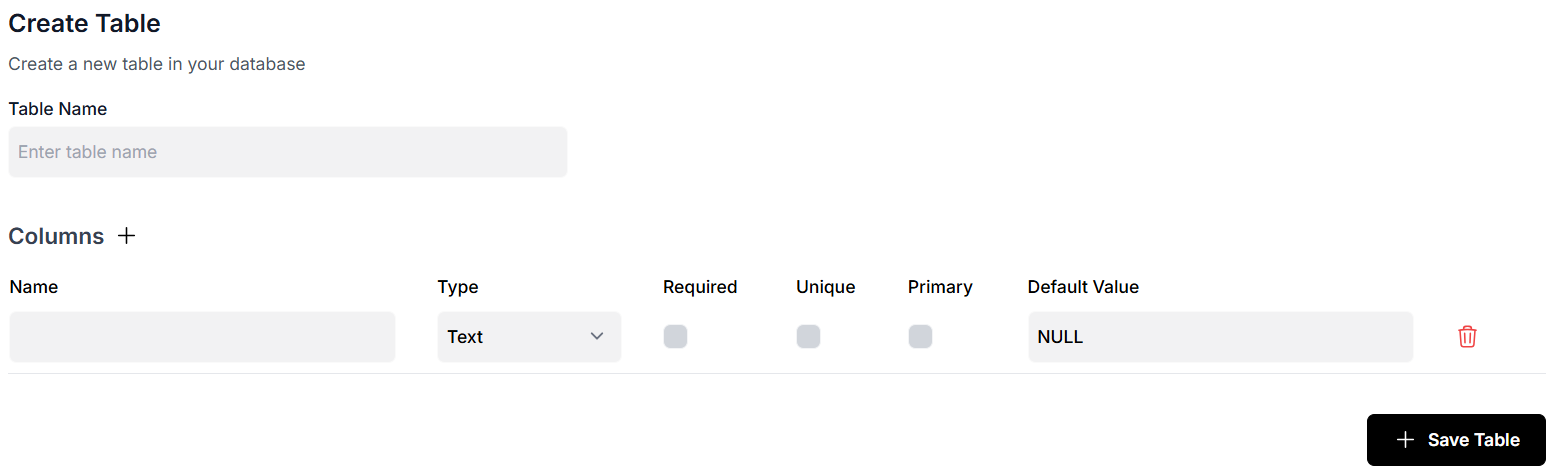
An alternative way of creating a table in the Fastn DB is to navigate to the Databases page from the left side menu and then click on the Fastn DB.
Click on the **Create Table** button here to create a new table in the database.
Next you can define the table structure by specifying the name of the table and defining its columns. Once you have entered all the necessary details, you can save the table configuration and see it added in the database.
## Example: Storing Slack Messages in a Fastn Database
Once you've added a **Database** element while building your flow, you can configure it with a custom SQL query to perform operations like inserting data into a table. Here's a simple use case:
Let’s say you're building a flow that captures messages from a **Slack channel** and stores them in a Fastn database.
First, ensure you've already created a table to hold the messages. You can do this by either:
* **Using an SQL query inside a flow** (as shown below), or
* Navigating to the **Databases** section from the sidebar, selecting **Fastn DB**, clicking **Create Table**, and defining the table structure manually.
For this example, suppose your table structure looks like this:
```sql
CREATE TABLE slack_messages (
id SERIAL PRIMARY KEY,
channel_name TEXT,
user_name TEXT,
message TEXT,
timestamp TIMESTAMP
);
```
Now, in your flow, after receiving a message from Slack via a trigger like **On App Event** or **On Chat Message**, add a **Database element** and write an SQL query like this:
```sql
INSERT INTO slack_messages (channel_name, user_name, message, timestamp)
VALUES (:channel_name, :user_name, :message, :timestamp);
```
Here, `:channel_name`, `:user_name`, `:message`, and `:timestamp` are **dynamic variables** that map to the data coming from the Slack trigger.
This setup allows every new Slack message to be captured and stored in your database in real time; enabling you to build logs, run analytics, or even trigger additional downstream processes.