> For the complete documentation index, see [llms.txt](https://docs.fastn.ai/llms.txt). Markdown versions of documentation pages are available by appending `.md` to page URLs; this page is available as [Markdown](https://docs.fastn.ai/embed/widget-builder/style.md).
# Style
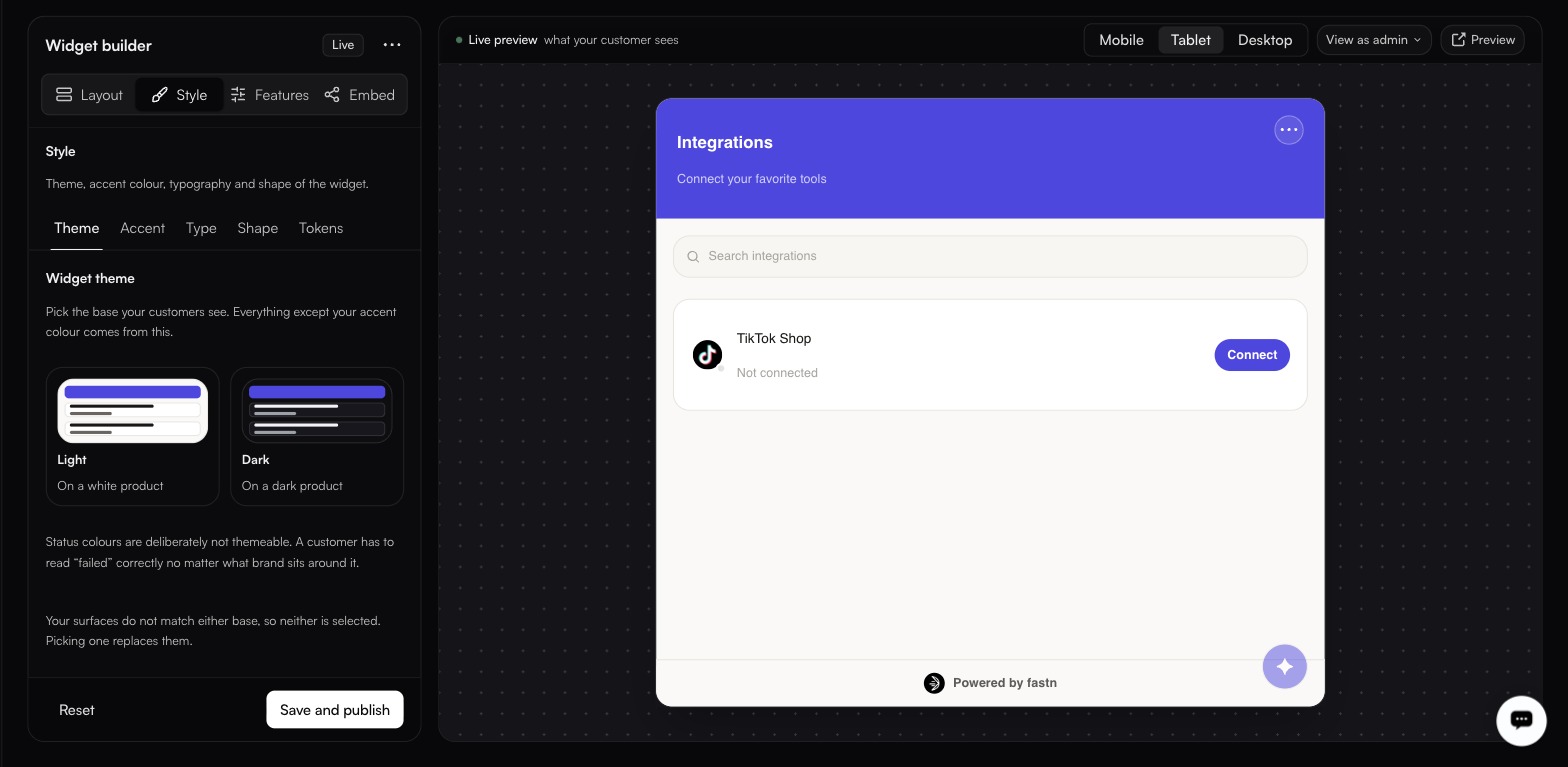
The Style tab: theme, accent, type, shape and design tokens.
Status colours stay fixed whichever base you pick, so failed always reads as failed.
Five sub-tabs: **Theme**, **Accent**, **Type**, **Shape**, **Tokens**.
### Theme
**Light** for a white product, **Dark** for a dark one. Everything except your accent colour derives from it. If you have set custom surface colours that match neither base, the UI tells you: picking one replaces them.
{% hint style="info" %}
Status colours are deliberately not themeable. A customer has to read "failed" correctly no matter what brand sits around it.
{% endhint %}
### Accent
A pair, not a single colour: **Accent** (default `#000000`) and **Text on accent** (default `#fff`), with a live contrast readout beside them. Set both: the readout is there so you can check the pairing is legible before your customers do.
### Type
| Control | Values |
| ------------------ | --------------------------------------------------------------------------------------------- |
| Font | `Inter`, `DM Sans`, `Geist`, `Plus Jakarta Sans`, `Nunito`, `Manrope`, `System UI`, `Custom…` |
| **Base size** | 11–18px |
| **Font weight** | Light, Regular, Medium |
| **Letter spacing** | Tight, Normal, Wide |
### Shape
Four presets (**Square**, **Rounded**, **Soft**, **Pill**), over a radius of 0–20, with separate card, button and input radii underneath if the preset is not quite right. **Shadow strength** is None, SM, MD or LG.
### Tokens
Surface colours, set individually: **Background**, **Foreground**, **Card**, **Muted**, **Muted text**, **Border**.
| Control | Notes |
| --------------------------- | ------------------------------------------- |
| **Allowed Origins** | Which origins may embed the widget. |
| **Show 'Powered by fastn'** | On by default. |
| **Compact mode** | Off by default. |
| **Design Tokens** | `JSON` or `CSS`, plus **Import from JSON**. |
{% hint style="danger" %}
**Allowed Origins** is a security control, not a styling one. It sits on the Tokens tab, which is easy to skip. Set it to the origins that are actually allowed to embed your widget before you ship.
{% endhint %}
The **Design Tokens** block exposes fifteen variables:
`--primary`, `--primary-foreground`, `--background`, `--foreground`, `--card`, `--muted`, `--muted-foreground`, `--border`, `--radius`, `--radius-button`, `--radius-input`, `--font-family`, `--font-size`, `--font-weight`, `--letter-spacing`
**Import from JSON** takes a token set straight from your own design system, which is faster than reproducing it control by control.
---
# Agent Instructions
This documentation is published with GitBook. GitBook is the documentation platform designed so that both humans and AI agents can read, navigate, and reason over technical content effectively. Learn more at gitbook.com.
## Querying This Documentation
If you need additional information that is not directly available in this page, you can query the documentation by asking a question.
Perform an HTTP GET request on the following URL with the `ask` and `goal` query parameters:
```
GET https://docs.fastn.ai/embed/widget-builder/style.md?ask=&goal=
```
`ask` is the immediate question: it should be specific, self-contained, and written in natural language.
`goal` is what the user is ultimately trying to achieve, the reason they need the answer. Sharing it helps GitBook give you a better, more relevant answer. A goal is most helpful when it describes the outcome the user wants rather than restating the question. For example, with `ask=how do I create an API token`, a goal like `automate deployments from our CI pipeline` lets GitBook tailor the answer to that use case.
The response will contain a direct answer to the question and relevant excerpts and sources from the documentation.
Use this mechanism when the answer is not explicitly present in the current page, you need clarification or additional context, or you want to retrieve related documentation sections.