> For the complete documentation index, see [llms.txt](https://docs.fastn.ai/llms.txt). Markdown versions of documentation pages are available by appending `.md` to page URLs; this page is available as [Markdown](https://docs.fastn.ai/classic/fastn-ucl/getting-started/about-unified-context-layer/monitoring.md).
# Monitoring
The Insights page helps you track everything happening across your tenants, connectors, and actions. It is divided into three main parts: Overview, Tool Usage, and Logs.
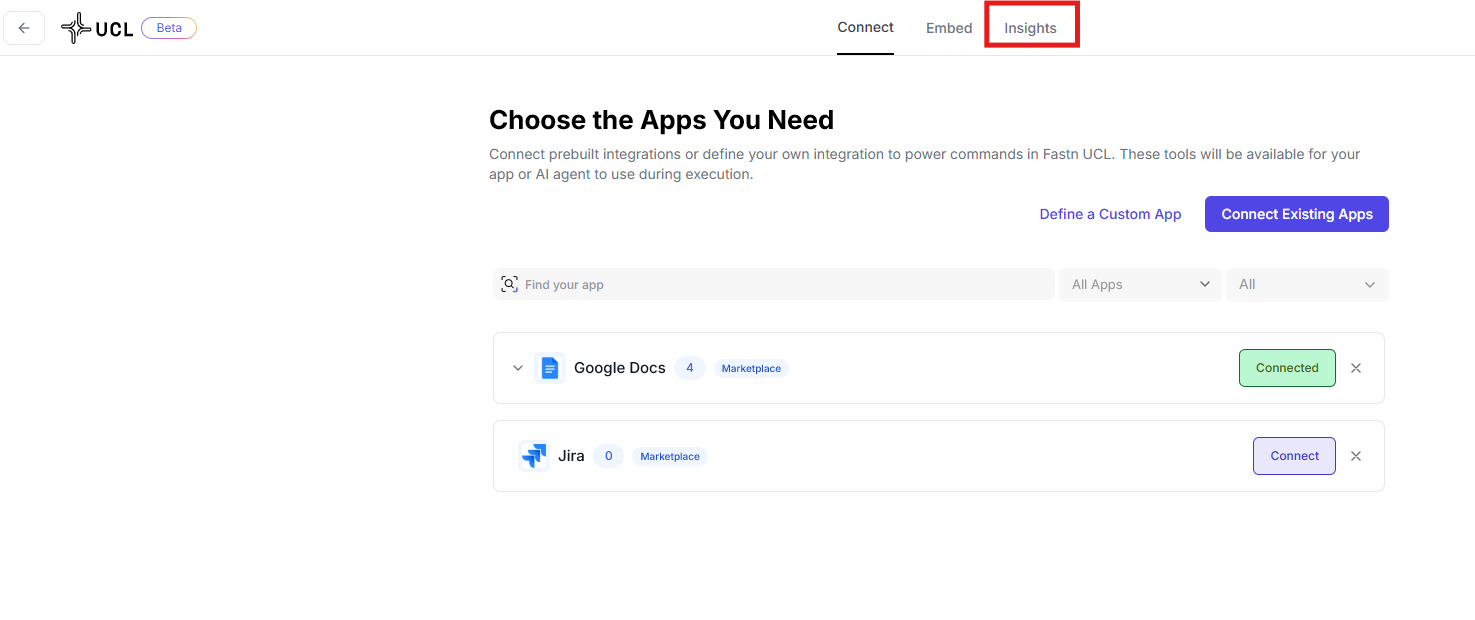
To access the monitoring tools, simply go to the **Insights** section in the top navigation bar of your Dashboard.
### Overview Dashboard
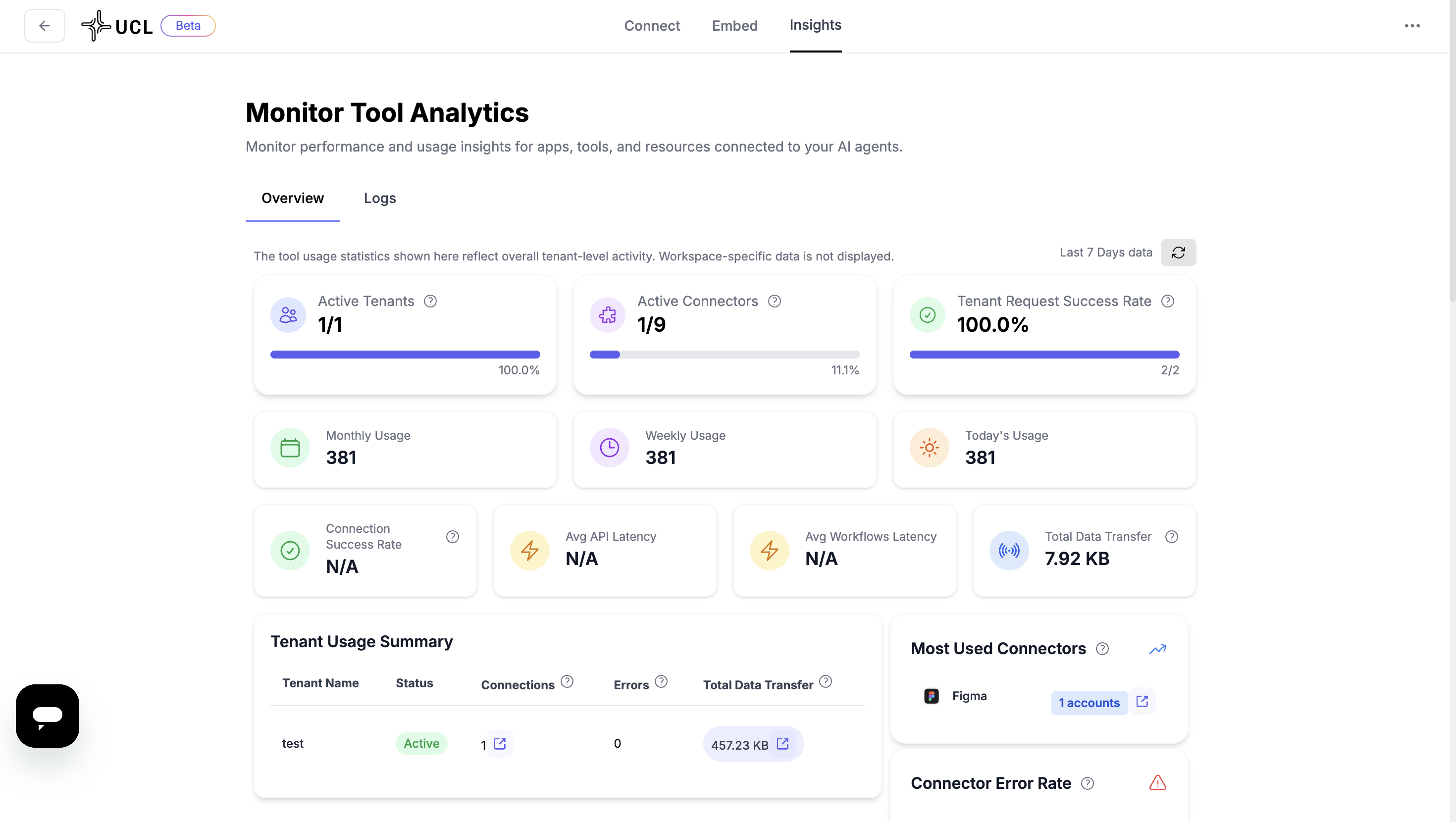
The dashboard represents each action triggered by a connector (e.g., sending a message, syncing data) and monitors them across key metrics:
* **Active Tenants (%)** – total tenants connected and their active percentage.
* **Active Connectors** – number of connectors currently in use.
* **Tenant Request Success Rate** – percentage of successful requests per tenant.
* **Monthly Usage** – number of actions performed this month.
* **Weekly Usage** – number of actions performed this week.
* **Today's Usage** – number of actions performed today.
* **Connection Success Rate** – percentage of successful connector connections.
* **Average API Latency** – average time an API takes to respond.
* **Average Workload Latency** – average time a workload (background process) takes to complete.
* **Total Data Transfer** – total volume of data transferred across tenants.
* **Tenant Usage Summary** – per-tenant details including names, connections, errors, and total data transferred.
* **Most Used Connectors** – list of the top connectors in your workspace.
* **Connection Error Rate** – percentage of connection errors across all tenants.
{% hint style="info" %}
Workspace-specific data is not displayed here.
{% endhint %}
### Tool Usage
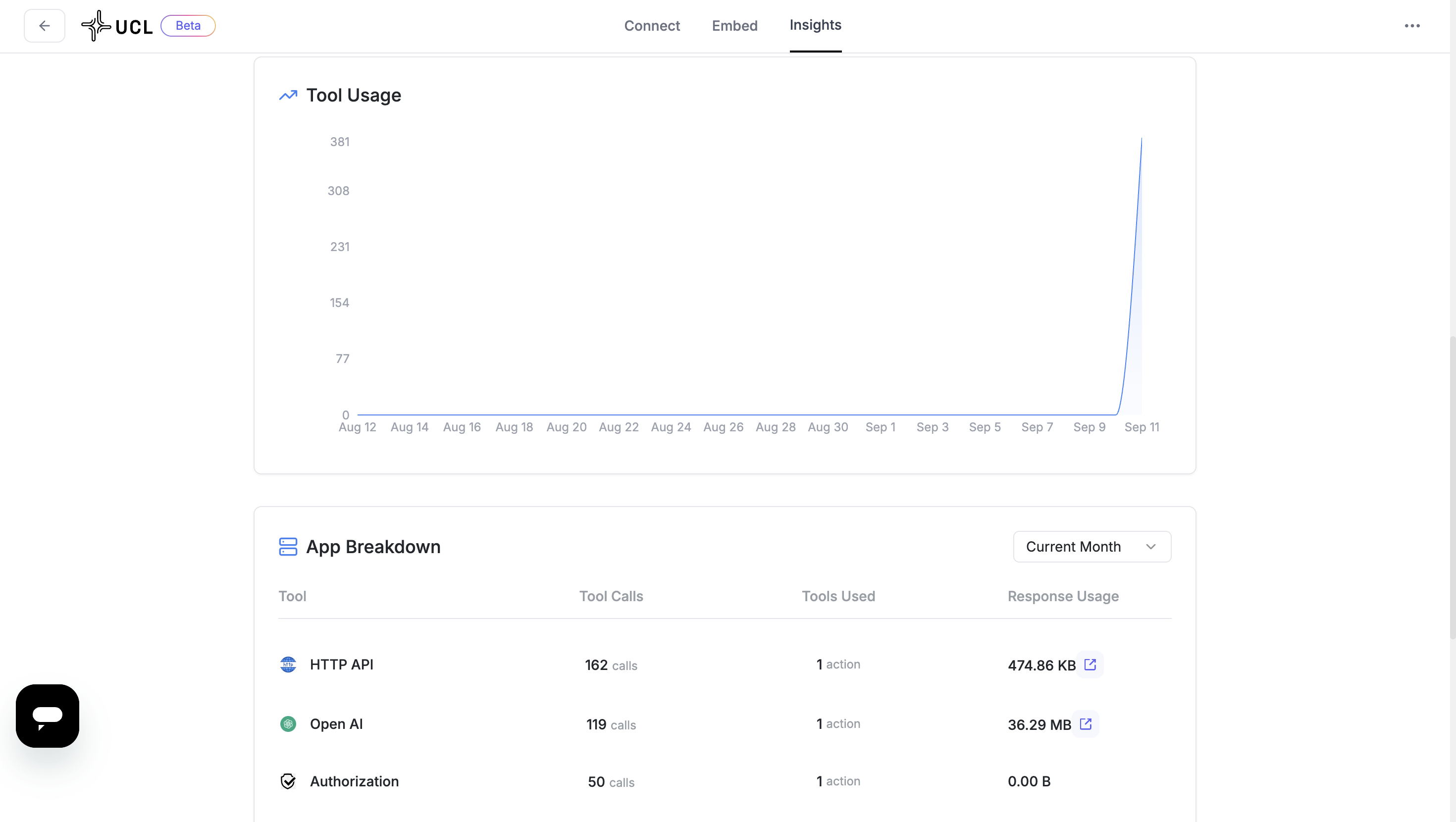
* A **graph** shows tool usage trends for the current month (date-wise).
* **App Breakdown** section lists:
* Tool (the app name)
* Tool calls
* Tool used
* Response usage
* Use the **filter** at the top to switch between current month or current week views.
### Logs
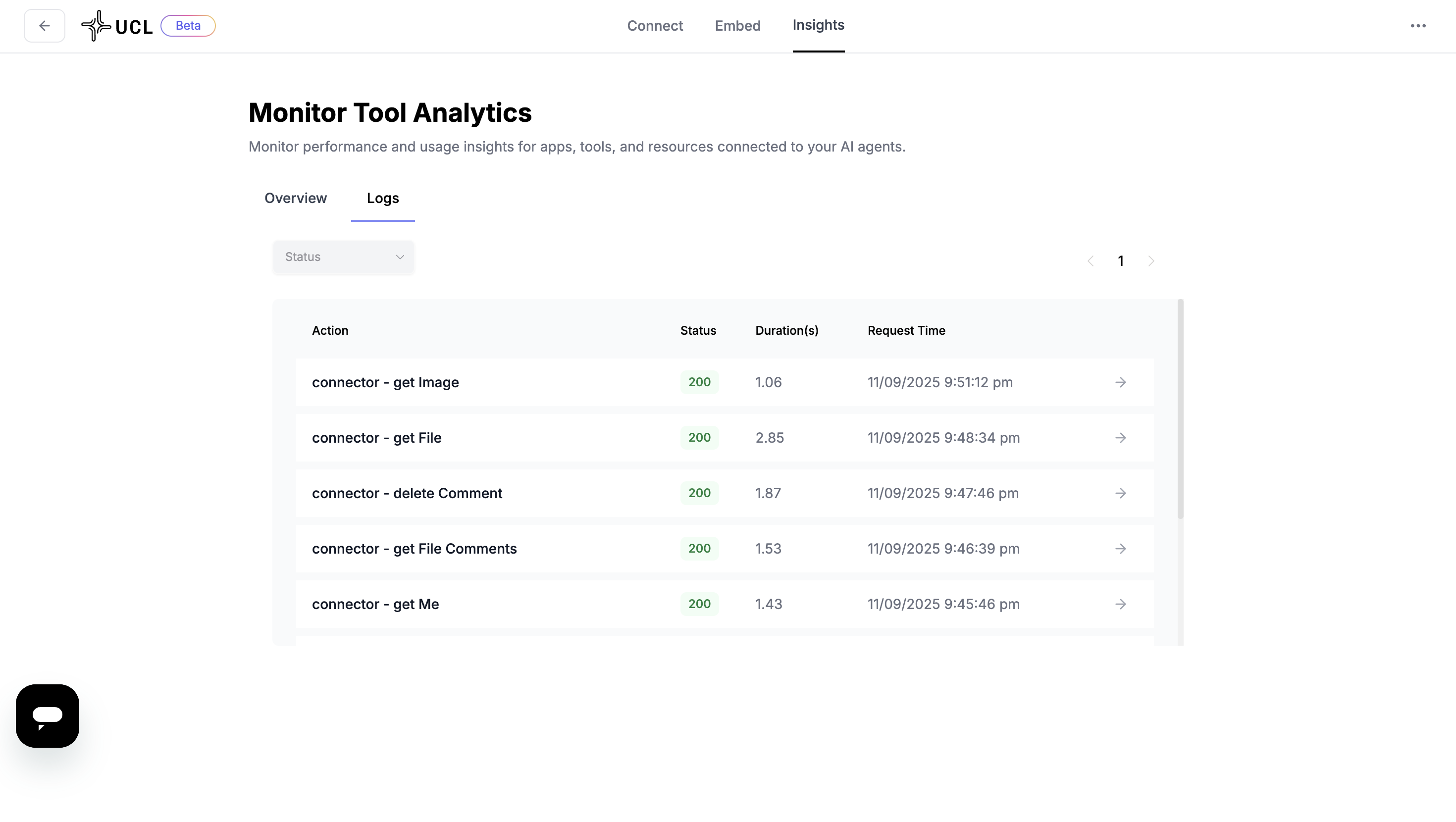
The logging system provides detailed visibility into every action performed.
* **Filter by status** to quickly narrow down logs.
* View details for each action, including:
* Connector name
* Action performed
* Status
* Duration
* Request time
{% hint style="info" %}
Expand a log entry to view the **full request details**.
{% endhint %}
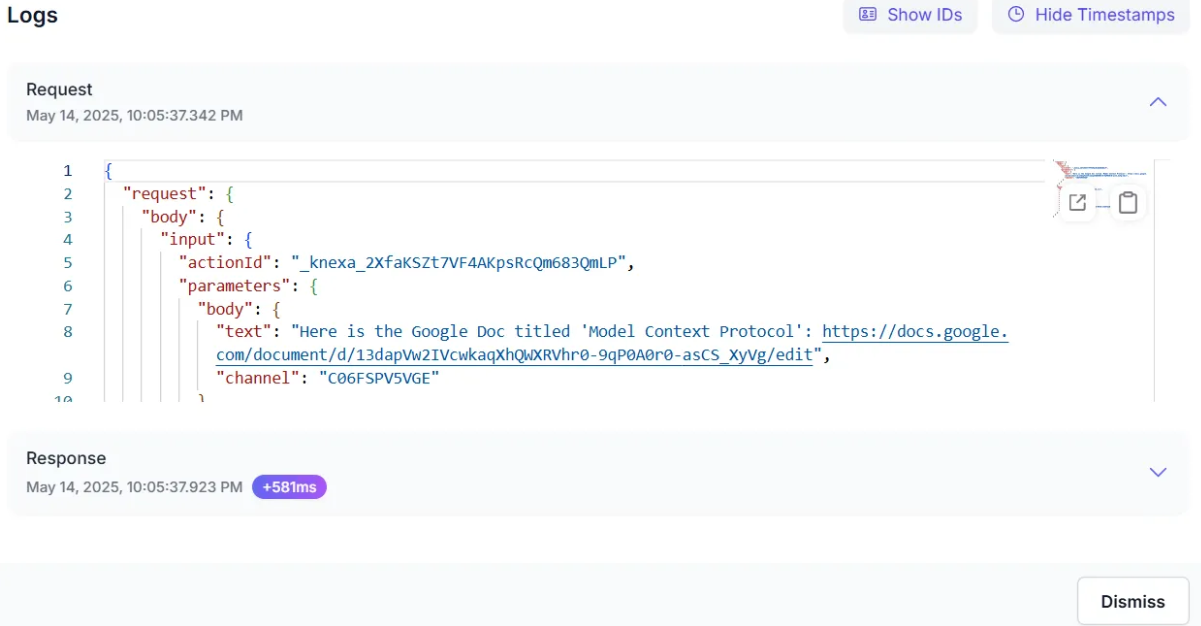
By clicking the **→** button, you can access detailed insights for individual logs, including:
* Unique log IDs
* Timestamps
* Detailed request parameters and responses
### **Why Monitoring Matters**
* **Privacy & Ownership** – Each tenant's monitoring data is strictly isolated, with full control over their data access and retention policies.
* **Faster Issue Resolution** – Easily trace failures to a specific connector, tool, or tenant.
* **Operational Confidence** – Know which parts of your system are underperforming or underutilized.
* **Security & Compliance** – Every request is tenant-scoped and logged, making audits and access reviews simple.
* **Scalability** – As you grow, dashboards help ensure consistent quality of service across all users.
> UCL doesn't just route and execute, it gives you full observability to manage and optimize your integration layer with confidence.
---
# Agent Instructions
This documentation is published with GitBook. GitBook is the documentation platform designed so that both humans and AI agents can read, navigate, and reason over technical content effectively. Learn more at gitbook.com.
## Querying This Documentation
If you need additional information that is not directly available in this page, you can query the documentation by asking a question.
Perform an HTTP GET request on the following URL with the `ask` and `goal` query parameters:
```
GET https://docs.fastn.ai/classic/fastn-ucl/getting-started/about-unified-context-layer/monitoring.md?ask=&goal=
```
`ask` is the immediate question: it should be specific, self-contained, and written in natural language.
`goal` is what the user is ultimately trying to achieve, the reason they need the answer. Sharing it helps GitBook give you a better, more relevant answer. A goal is most helpful when it describes the outcome the user wants rather than restating the question. For example, with `ask=how do I create an API token`, a goal like `automate deployments from our CI pipeline` lets GitBook tailor the answer to that use case.
The response will contain a direct answer to the question and relevant excerpts and sources from the documentation.
Use this mechanism when the answer is not explicitly present in the current page, you need clarification or additional context, or you want to retrieve related documentation sections.