> For the complete documentation index, see [llms.txt](https://docs.fastn.ai/llms.txt). Markdown versions of documentation pages are available by appending `.md` to page URLs; this page is available as [Markdown](https://docs.fastn.ai/build/mcp-gateway.md).
# MCP gateway
Letting an AI client reach your connectors as tools.
**Connect an agent**: in the top bar, and **Connect fastn to your favourite agent** under the prompt box on Home
Everything you build in fastn (connectors, actions, workflows), can be exposed to an AI client over the Model Context Protocol. The client sees your connectors as tools it can call, with the same customer scoping and the same permission model as everything else. Your agent can also build new integrations for you, right in the chat: see [Building from your AI agent](/build/building-from-your-ai-agent.md).
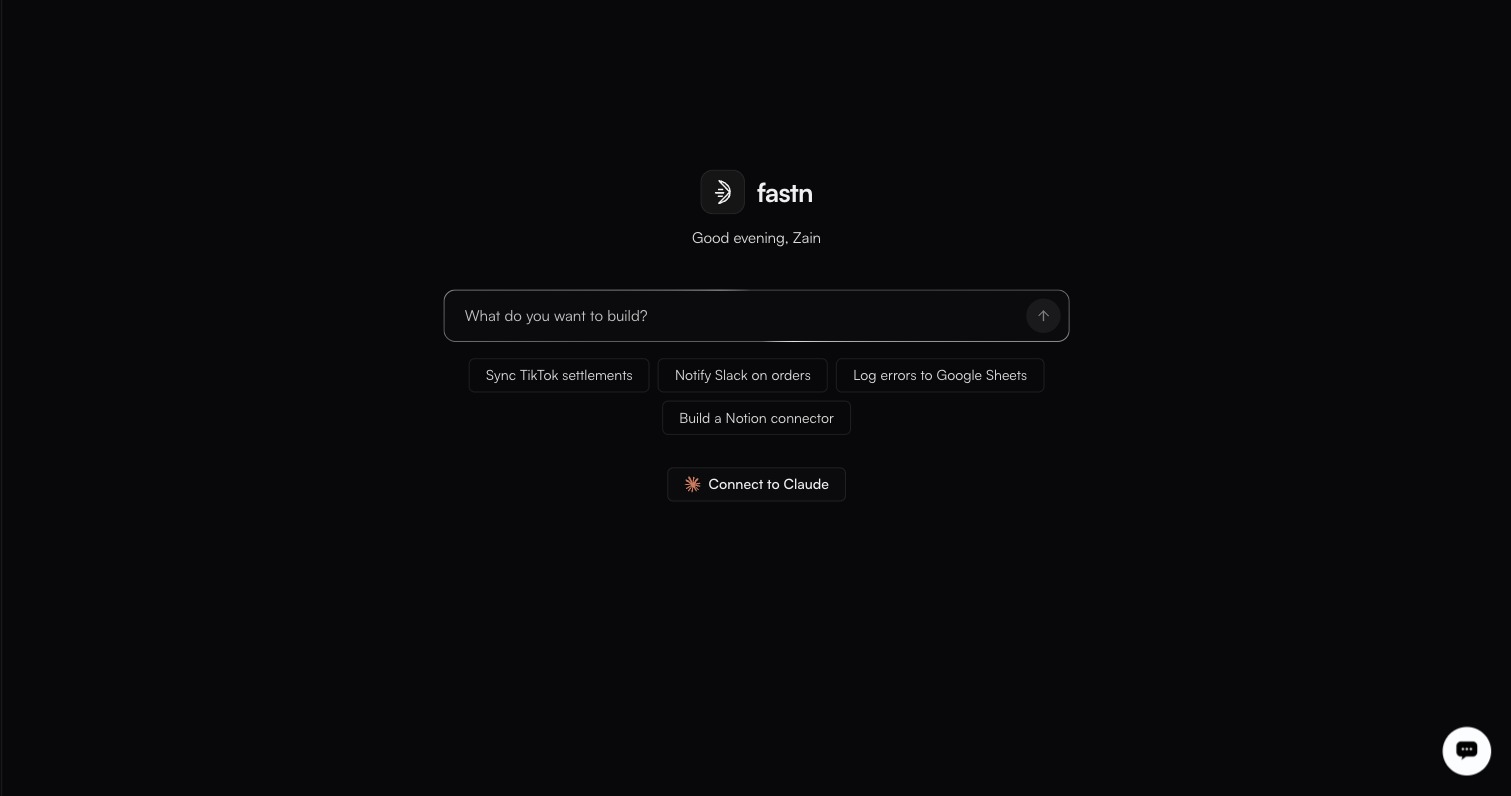
Connect to Claude sits under the build prompt on Home, below the suggestion chips.
### Connecting
Either opens the same dialog: *Add fastn as an MCP server and your agent can build integrations for you, right in the chat.*
Add to Claude is the one-click path; every other client takes the same URL.
**Claude** is the recommended client, with **Add to Claude** opening Claude's custom-connector dialog with the name and URL already filled in. Picking any client from **Other** — Cursor, VS Code, Codex, Gemini CLI, Antigravity, Windsurf, Cline, ChatGPT, Lovable, Bolt — swaps in that client's own instructions, including by-hand steps, a Claude Code command and a whole-org option for Claude.
The dialog's own note on the one-click link is worth repeating: it opens Claude with the connector filled in, you review it and authorise fastn yourself, and *Claude never adds a connector from a link on its own.*
The **MCP server URL** sits at the bottom with a **Copy** button.
```
https://mcp.fastn.dev/fastn-workspace
```
For Claude Code, the dialog also gives you a command to run:
```
claude mcp add --transport http fastn https://mcp.fastn.dev/fastn-workspace
```
### How your agent connects
Every agent connects the same way: you add fastn as an MCP server at that URL and authorise it. The agent sends you to fastn to sign in, pick a workspace and choose which apps and tools it may use, so no API key is needed.
| Agent | Where you add fastn | Plan needed |
| ---------------------------------------- | ------------------------------------------------------------ | -------------------------------------- |
| [Claude](/build/mcp-gateway/claude.md) | **Customize** → **Connectors** → **Add custom connector** | Any plan with custom connectors |
| [ChatGPT](/build/mcp-gateway/chatgpt.md) | **Settings** → **Apps & Connectors**, with Developer mode on | Plus, Pro, Business, Enterprise or Edu |
| [Lovable](/build/mcp-gateway/lovable.md) | **Connectors** → **Chat connectors** → **New MCP server** | Check your Lovable plan |
| [Bolt](/build/mcp-gateway/bolt.md) | **Connectors (MCP)** → add a custom MCP server | Check your Bolt plan |
For a client that can't sign in through fastn, point it at the same URL and authenticate with an API key from [Settings → API keys](/manage/api-keys.md) instead:
```
Authorization: Bearer fsk_live_
```
Test keys work too, with `X-fastn-Test-Mode: true`, and carry the same warning as everywhere else:
> Neither mode is a sandbox. A Test key reaches the same live connections as a Live key and causes the same real writes.
### Scoping
The gateway inherits the platform's access model rather than inventing a second one:
* **Customer scope**: a connection belongs to one customer, so a tool call runs against that customer's credential and cannot reach another's. Which customers a key may reach is set on the key itself, under *Customers it can reach*.
* **Permissions**: an API key carries a permission preset (`Full access`, `Developer`, `Operator`, `Viewer`, `End user` or `Custom`) and a per-resource matrix. That caps what the gateway can do with it.
* **Action scope**: on a [connector's](/build/connectors.md) detail page, the middle pane lists every action with a **Select all** control. Narrowing that selection is what makes *read-only Jira for one customer, nothing beyond that* a configuration rather than a promise.
{% hint style="warning" %}
An MCP client acts with whatever you authorised it to reach, or whatever the key it holds can do. When you use a key, mint one specifically for the client, give it the narrowest permission preset that works, and name it after the client: the Name field's own helper text is *Shown in the audit log beside everything this key does.*
{% endhint %}
### Watching it
Gateway activity lands in the same places as everything else: runs appear in [Executions](/operate/executions.md), with the calling identity in the **Triggered by** column, and calls made with an API key are attributable to that key in the [audit log](/manage/audit-log.md), which is readable by Owners and Admins.
Agent usage against your AI credit allowance is broken down **By agent** in the credits popover in the top bar.
### The A2A option
The widget's Embed tab lists **A2A** (agent-to-agent), alongside Iframe and SDK, marked *soon*. That is the customer-facing counterpart: your customer's own agent reaching the integrations you offer. See [Embedding the widget](/embed/embedding.md).
### In this section
* [Claude](/build/mcp-gateway/claude.md)
* [ChatGPT](/build/mcp-gateway/chatgpt.md)
* [Lovable](/build/mcp-gateway/lovable.md)
* [Bolt](/build/mcp-gateway/bolt.md)
---
# Agent Instructions
This documentation is published with GitBook. GitBook is the documentation platform designed so that both humans and AI agents can read, navigate, and reason over technical content effectively. Learn more at gitbook.com.
## Querying This Documentation
If you need additional information that is not directly available in this page, you can query the documentation by asking a question.
Perform an HTTP GET request on the following URL with the `ask` and `goal` query parameters:
```
GET https://docs.fastn.ai/build/mcp-gateway.md?ask=&goal=
```
`ask` is the immediate question: it should be specific, self-contained, and written in natural language.
`goal` is what the user is ultimately trying to achieve, the reason they need the answer. Sharing it helps GitBook give you a better, more relevant answer. A goal is most helpful when it describes the outcome the user wants rather than restating the question. For example, with `ask=how do I create an API token`, a goal like `automate deployments from our CI pipeline` lets GitBook tailor the answer to that use case.
The response will contain a direct answer to the question and relevant excerpts and sources from the documentation.
Use this mechanism when the answer is not explicitly present in the current page, you need clarification or additional context, or you want to retrieve related documentation sections.