> For the complete documentation index, see [llms.txt](https://docs.fastn.ai/llms.txt). Markdown versions of documentation pages are available by appending `.md` to page URLs; this page is available as [Markdown](https://docs.fastn.ai/build/integrations/unified-apis.md).
# Unified APIs
One canonical endpoint per business entity, served by whichever providers your customers connect.
**Integrations → Unified APIs** · `/integrations?tab=unified`
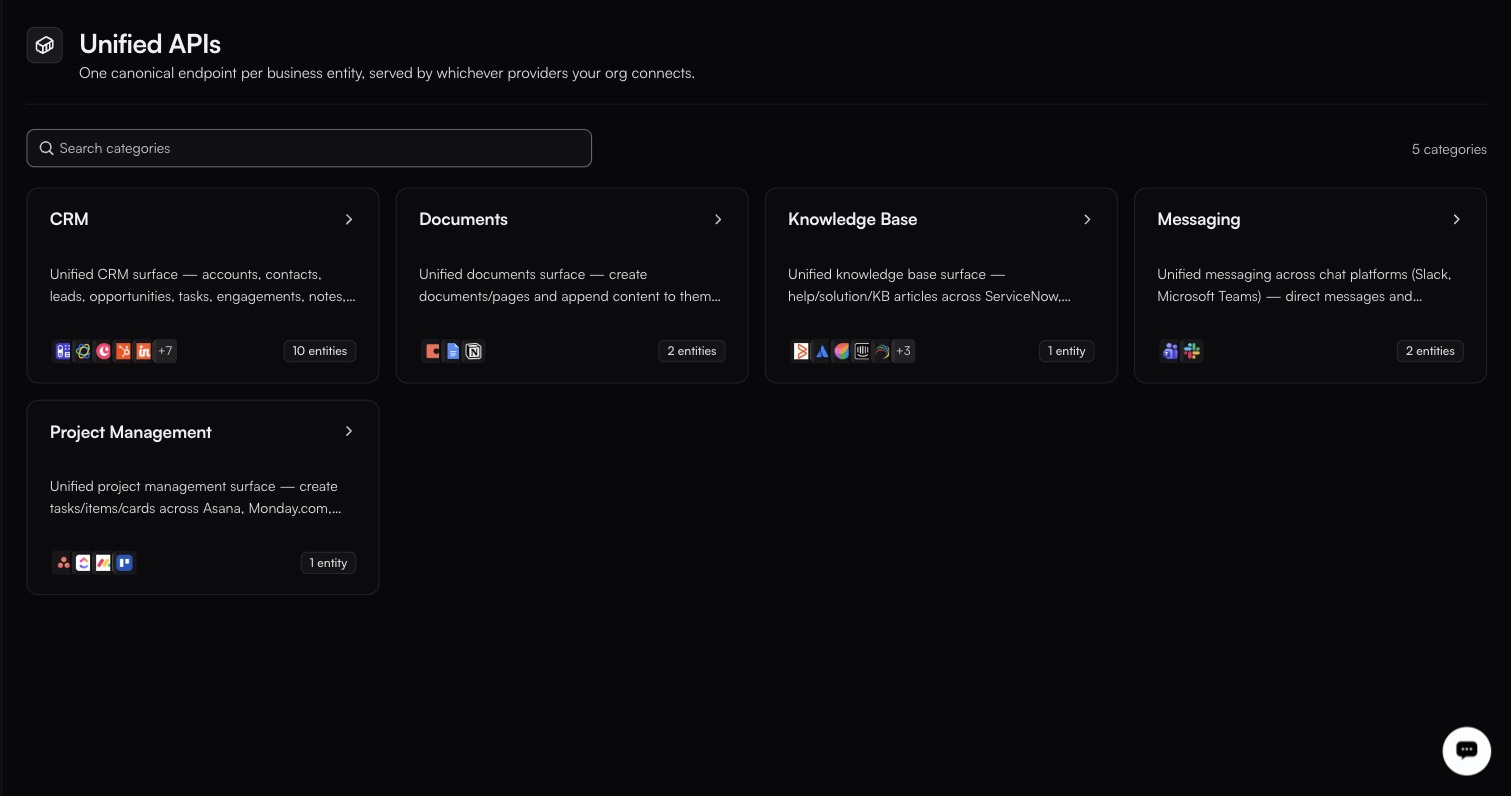
The icons on each card are the providers currently serving that category.
Three of your customers use three different CRMs. Without a unified API, your code branches three ways for what is conceptually one operation: create a contact. With one, you call a single endpoint and fastn routes to whichever provider that customer authorized.
> One call that reaches every app of the same kind you have connected: every CRM, every store.
### Categories and entities
A **category** is a domain. An **entity** is a business object inside it. Each entity is backed by one or more **providers**. The list shows a count chip (for example `N categories`) and a **Search categories** box. A search that matches nothing reads `No categories match` / *Try another search.*
The catalog is live data: which categories, entities and providers you see depends on what fastn has published and mapped at the time. As an illustration, the catalog has included categories such as **CRM**, **Documents**, **Knowledge Base**, **Messaging** and **Project Management**, with entries like these:
| Category | Example entities | Example providers (slugs) |
| ------------- | --------------------------------------------------- | ---------------------------------- |
| **CRM** | `Account`, `Contact`, `Lead`, `Note`, `Opportunity` | `hubspot`, `salesforce`, `zohoCrm` |
| **Documents** | `Document`, `Document Content` | `googleDocs`, `notion` |
| **Messaging** | `Channel Message`, `Direct Message` | `microsoftTeams`, `slack` |
The provider slugs are what you use in the API; the cards show display names. Open a category in the product to see its current entities and providers.
### In this section
* [Setup and Usage](https://docs.fastn.ai/build/integrations/unified-apis/setup-and-usage.md)
* [Inside a category](https://docs.fastn.ai/build/integrations/unified-apis/inside-a-category.md)
* [Unified vs direct](https://docs.fastn.ai/build/integrations/unified-apis/unified-vs-direct.md)
---
# Agent Instructions
This documentation is published with GitBook. GitBook is the documentation platform designed so that both humans and AI agents can read, navigate, and reason over technical content effectively. Learn more at gitbook.com.
## Querying This Documentation
If you need additional information that is not directly available in this page, you can query the documentation by asking a question.
Perform an HTTP GET request on the following URL with the `ask` and `goal` query parameters:
```
GET https://docs.fastn.ai/build/integrations/unified-apis.md?ask=&goal=
```
`ask` is the immediate question: it should be specific, self-contained, and written in natural language.
`goal` is what the user is ultimately trying to achieve, the reason they need the answer. Sharing it helps GitBook give you a better, more relevant answer. A goal is most helpful when it describes the outcome the user wants rather than restating the question. For example, with `ask=how do I create an API token`, a goal like `automate deployments from our CI pipeline` lets GitBook tailor the answer to that use case.
The response will contain a direct answer to the question and relevant excerpts and sources from the documentation.
Use this mechanism when the answer is not explicitly present in the current page, you need clarification or additional context, or you want to retrieve related documentation sections.