> For the complete documentation index, see [llms.txt](https://docs.fastn.ai/llms.txt). Markdown versions of documentation pages are available by appending `.md` to page URLs; this page is available as [Markdown](https://docs.fastn.ai/build/connectors/the-catalogue.md).

# The catalogue

How the connector catalogue reads: badges, filters, card anatomy, and the counts that mislead.

The page header states the intent plainly:

> Every system your customers can authorise. Depth on the ones that block deals, not a catalogue count.

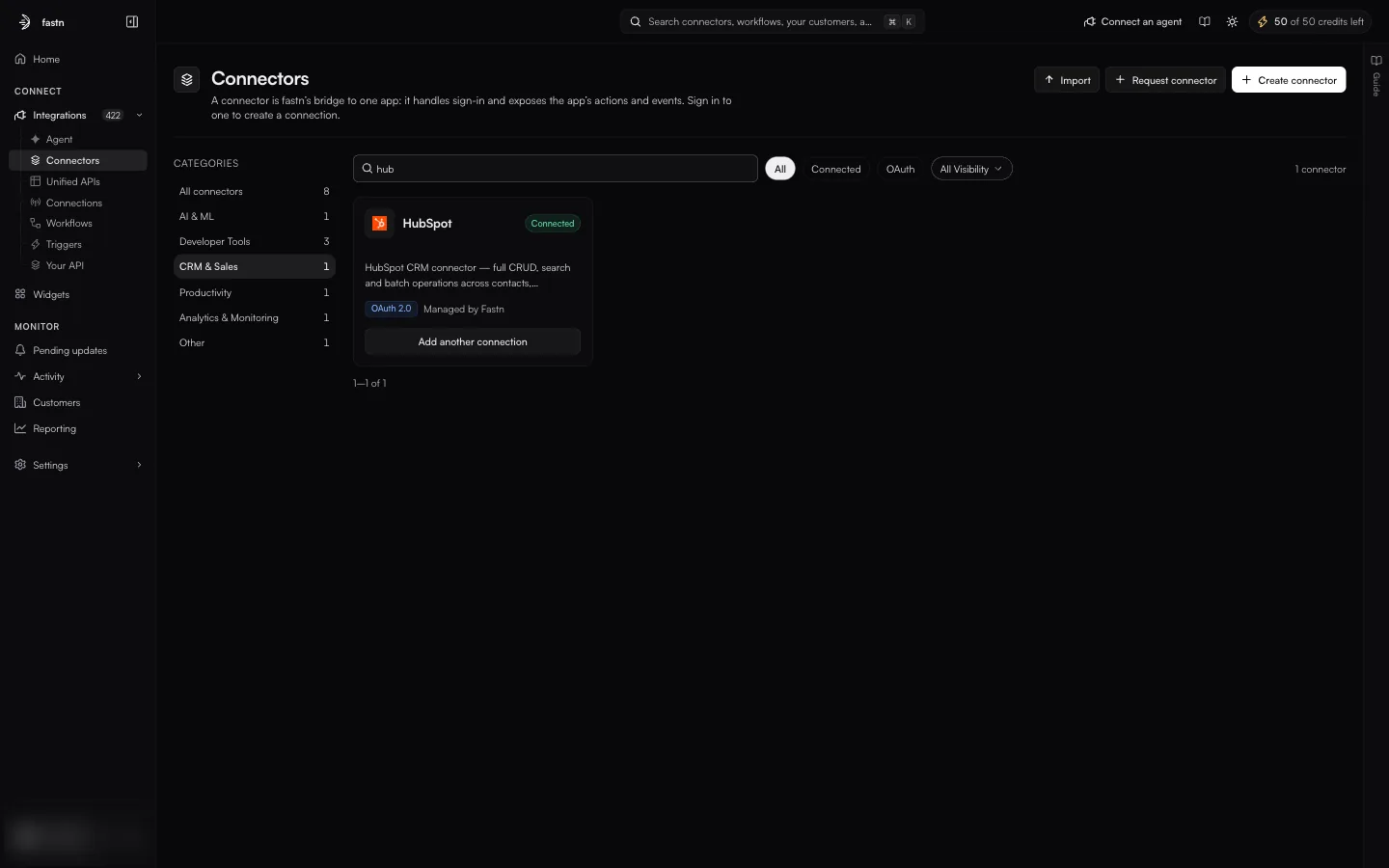
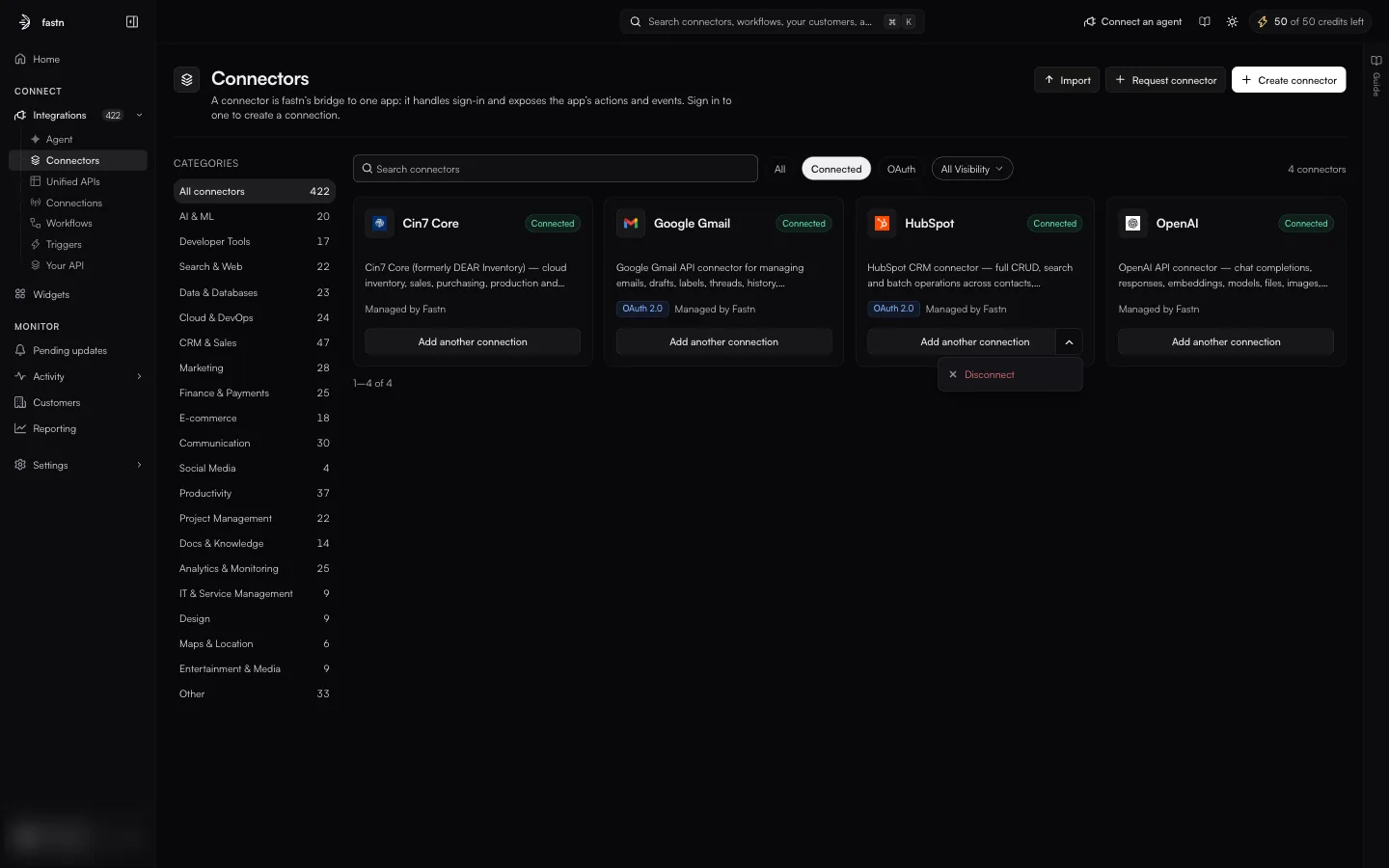
Connectors marked **managed** are maintained by fastn: when the vendor ships a breaking change, you get a proposal under [Pending updates](/build/connector-updates.md) rather than a broken sync. Ones you build yourself are badged **Custom**. Either badge is replaced by **Connected** once at least one connection exists.

| Control                     | What it filters                                              | URL            |
| --------------------------- | ------------------------------------------------------------ | -------------- |
| **Search connectors**       | Name and description                                         | `?q=`          |
| **All / Connected / OAuth** | Everything · at least one live connection · offers OAuth 2.0 | `?category=`   |
| **All Visibility**          | `All Visibility`, `Private`, `Public`                        | `?visibility=` |

There is no sort control. The list pages at 24 per page with a footer reading `1–24 of 354`; the page number is not kept in the URL, so a deep link always lands on page one.

A search that matches nothing shows `No connectors match "x"`, *Try another search or category.* and a **Clear search** button.

**Card anatomy.** Favicon, name, badge, description, an `OAuth 2.0` chip where it applies, and a provenance string. The footer button reads **Connect**, or **Add another connection** with a chevron offering **Reconnect** and **Disconnect**. The `⋯` menu holds **Select**, **Edit**, **Export** and **Delete**.

**Header controls.** **Create connector** opens the create dialog. **Import** is a bare file input: it takes a JSON connector definition with no intermediate dialog. Selecting cards (via `⋯ → Select`) reveals **Export Selected (n)**.

{% hint style="warning" %}
Three things about this list are known to mislead, and are worth knowing before you count anything:

* The catalogue contains duplicates (Asana, HubSpot, Salesforce, Slack, Notion and Cin7 Core each appear twice, once `managed` and once `Custom`) so the total is not a count of distinct systems.
* A connector badged `Connected` in the list can still report `0 connections` on its own detail page.
* Provenance is written three different ways for the same thing: *Managed by Fastn*, *Managed by fastn.ai* and *Managed by fastn*.
  {% endhint %}


---

# Agent Instructions
This documentation is published with GitBook. GitBook is the documentation platform designed so that both humans and AI agents can read, navigate, and reason over technical content effectively. Learn more at gitbook.com.

## Querying This Documentation
If you need additional information that is not directly available in this page, you can query the documentation dynamically by asking a question.

Perform an HTTP GET request on the current page URL with the `ask` query parameter, and the optional `goal` query parameter:

```
GET https://docs.fastn.ai/build/connectors/the-catalogue.md?ask=<question>&goal=<endgoal>
```

`ask` is the immediate question: it should be specific, self-contained, and written in natural language.
`goal` is optional and describes the broader end goal you are ultimately trying to accomplish on behalf of the user. GitBook uses it to tailor the answer towards what is most useful for that goal.

The response will contain a direct answer to the question and relevant excerpts and sources from the documentation.

Use this mechanism when the answer is not explicitly present in the current page, you need clarification or additional context, or you want to retrieve related documentation sections.