> For the complete documentation index, see [llms.txt](https://docs.fastn.ai/llms.txt). Markdown versions of documentation pages are available by appending `.md` to page URLs; this page is available as [Markdown](https://docs.fastn.ai/build/connections.md).
# Connections
The Connections page: your organisation's and your customers' signed-in accounts, how to find one, and what each column means.
**Integrations → Connections** · `/integrations?tab=connections`
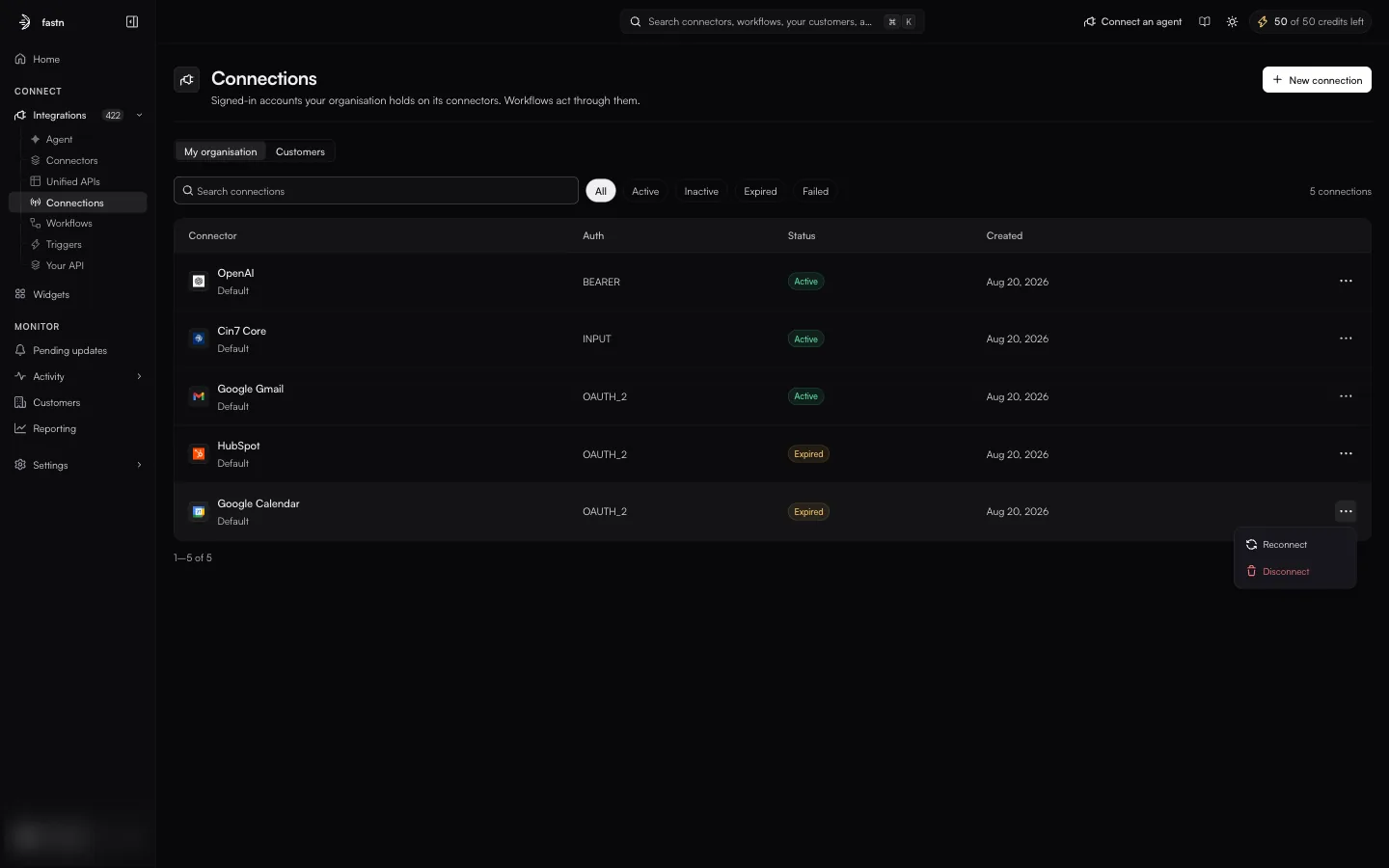
The My organisation view.
A **connection** is one signed-in account on one connector: the stored, encrypted result of someone authorising access once. Every later call reuses it, so nobody signs in again. Workflows act through connections.
A [connector](/build/connectors.md) is the definition of an app; a connection is a credential for it. One connector can have many connections: one for your organisation and one for each customer who connects.
### How connections work
* **Who it belongs to.** A connection belongs either to your organisation (made by someone on your team) or to one of your customers (made through your embedded widget). The two are shown in separate views on this page.
* **How it is addressed.** Every connection has a connection ID. It starts with `ucl:`, followed by your organisation, the environment (for example `default`), the connector's ID and an identifier for the credential, separated by colons. Pass it to the API to act as that account.
* **Whether it still works.** Each connection has a status: `Active`, `Inactive`, `Expired` or `Failed`. See [Statuses](/build/connections/statuses.md).
* **How it is kept alive.** For OAuth connections, fastn refreshes the access token before it runs out.
* **Fixing or ending one.** **Reconnect** signs in again to repair a broken connection. **Disconnect** stops all syncing and deletes the credential.
### My organisation and Customers
The toggle at the top switches between two views.
| View | Shows | Page subtitle |
| ------------------- | -------------------------------------------------------------------------- | ------------------------------------------------------------------------------------------- |
| **My organisation** | Connections your team made. | *Signed-in accounts your organisation holds on its connectors. Workflows act through them.* |
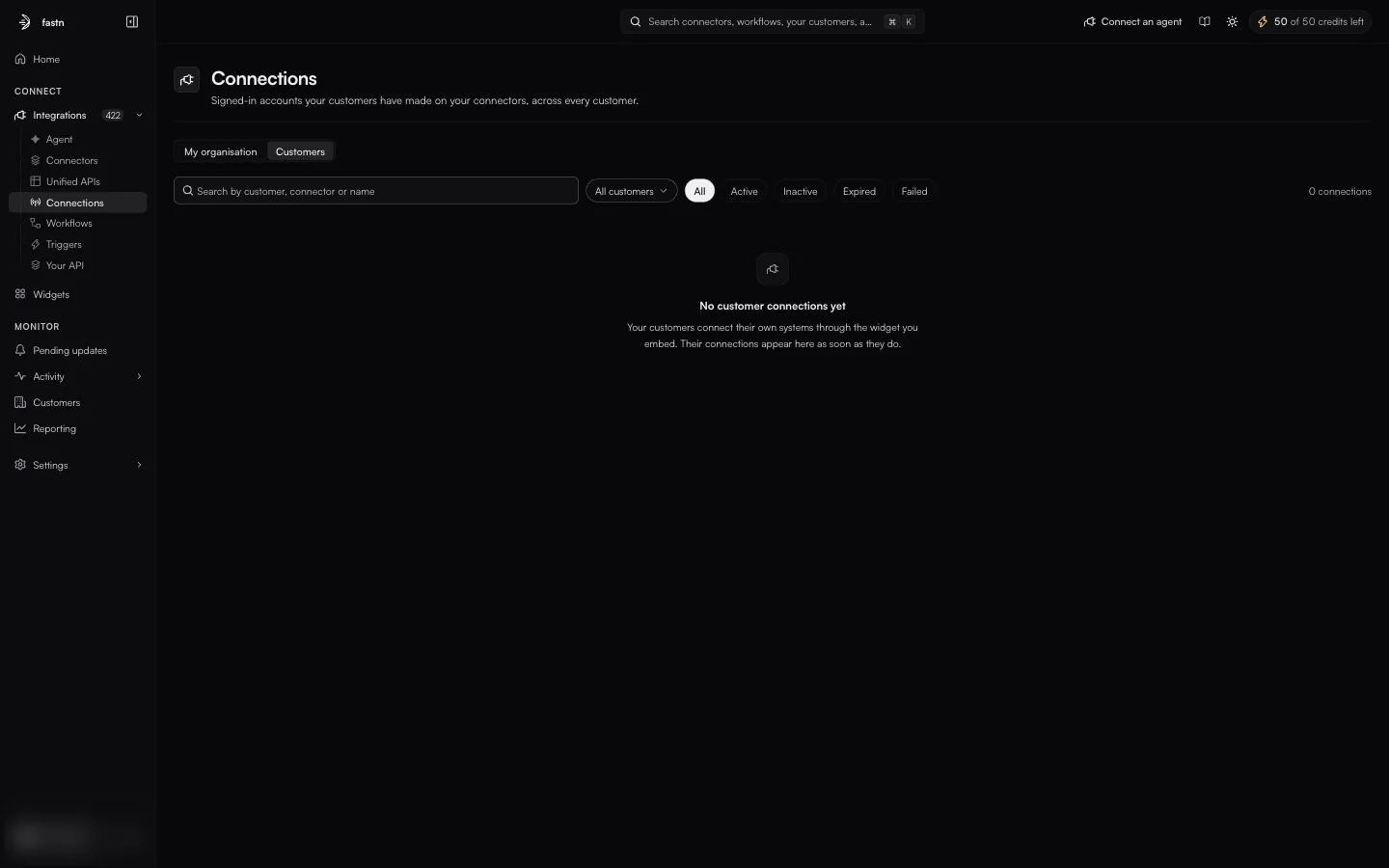
| **Customers** | Connections your customers made through the widget, across every customer. | *Signed-in accounts your customers have made on your connectors, across every customer.* |
The Customers view, empty until a customer connects through the widget.
The **Customers** view adds an **All customers** selector to show one customer's connections, and its search box also matches customer names.
### Finding a connection
* **Search connections** matches the connector and connection name (and the customer, in the Customers view).
* The status chips **All**, **Active**, **Inactive**, **Expired** and **Failed** show only connections in that state.
* The count on the right shows how many connections match, for example *5 connections*.
If nothing matches, the page reads *No connections yet* · *Connect a system and its authenticated link appears here.* with a **Connect a system** button.
### The table
| Column | Meaning |
| ------------- | ---------------------------------------------------------------------------------------------------------------------------------------------------- |
| **Connector** | The app, with the connection's name underneath (`Default` unless it was named). |
| **Auth** | The auth type the connection was made with, as stored: for example `OAUTH_2`, `BEARER`, `INPUT`. See [Auth types](/build/connections/auth-types.md). |
| **Status** | `Active`, `Inactive`, `Expired` or `Failed`. See [Statuses](/build/connections/statuses.md). |
| **Created** | When the connection was made. |
| **⋯** | **Reconnect** and **Disconnect**. |
Each row's menu.
Click a row to open its detail page. See [Inside a connection](/build/connections/inside-a-connection.md).
**New connection** (top right) connects a new app for your organisation. See [Creating a connection](/build/connections/creating-a-connection.md).
### In this section
* [Statuses](/build/connections/statuses.md): what each status means and what to do about it.
* [Auth types](/build/connections/auth-types.md): the values in the Auth column.
* [Inside a connection](/build/connections/inside-a-connection.md): the detail page, Reconnect and Disconnect.
* [Creating a connection](/build/connections/creating-a-connection.md): New connection and the connect dialog.
---
# Agent Instructions
This documentation is published with GitBook. GitBook is the documentation platform designed so that both humans and AI agents can read, navigate, and reason over technical content effectively. Learn more at gitbook.com.
## Querying This Documentation
If you need additional information that is not directly available in this page, you can query the documentation by asking a question.
Perform an HTTP GET request on the following URL with the `ask` and `goal` query parameters:
```
GET https://docs.fastn.ai/build/connections.md?ask=&goal=
```
`ask` is the immediate question: it should be specific, self-contained, and written in natural language.
`goal` is what the user is ultimately trying to achieve, the reason they need the answer. Sharing it helps GitBook give you a better, more relevant answer. A goal is most helpful when it describes the outcome the user wants rather than restating the question. For example, with `ask=how do I create an API token`, a goal like `automate deployments from our CI pipeline` lets GitBook tailor the answer to that use case.
The response will contain a direct answer to the question and relevant excerpts and sources from the documentation.
Use this mechanism when the answer is not explicitly present in the current page, you need clarification or additional context, or you want to retrieve related documentation sections.